
- Training
- Service
- Promotion
- Schedule
- Testing Center
- News
- Contact
6/27/2022


XLOOKUP Replaces VLOOKUP
XLOOKUP was released in 2019 as the successor to VLOOKUP. It is superior to VLOOKUP and Index Match in almost every way, so it's natural that your preference would be to use XLOOKUP if it's available to you. But that doesn't necessarily mean that you shouldn't know VLOOKUP. I'll tell you why in a moment.
First, let's take a look at why Microsoft created XLOOKUP to replace VLOOKUP and Index Match. Three main reasons are:
1. VLOOKUP can break when you insert or delete columns.
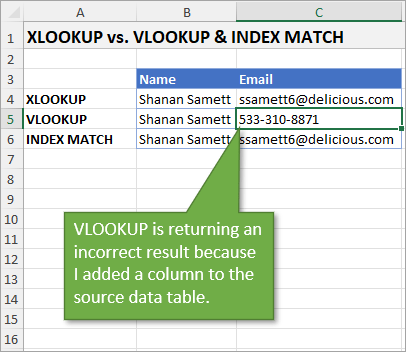
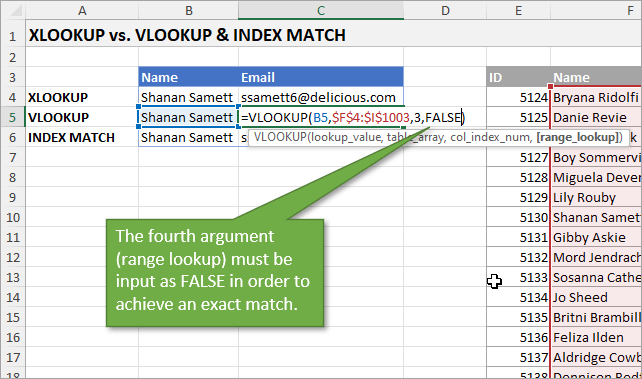
2. VLOOKUP defaults to the closest match whereas XLOOKUP defaults to an exact match. To correct that in VLOOKUP, you have to type FALSE as your fourth argument.
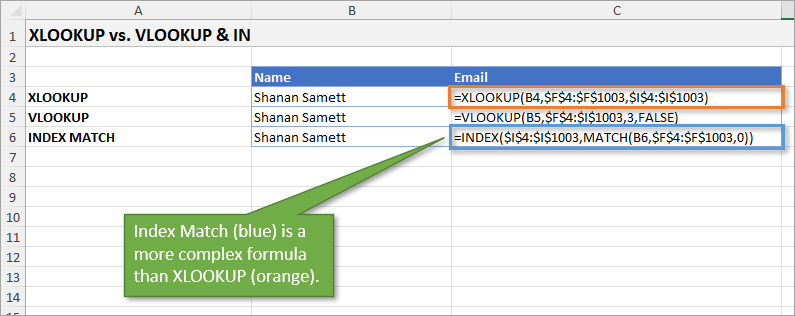
3. Index Match is a more complex formula than XLOOKUP, requiring two functions in the formula instead of just one.
Are there scenarios when you would use VLOOKUP instead of XLOOKUP?
Yes!
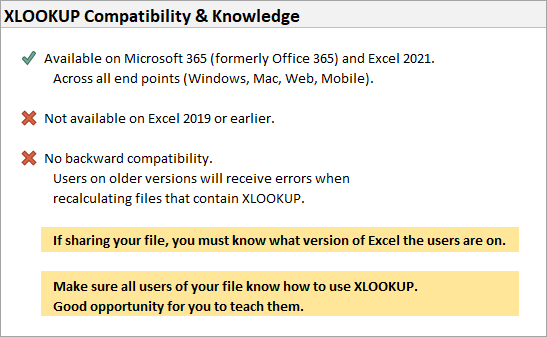
The first reason has to do with compatibility. XLOOKUP is available on Microsoft 365 and Excel 2021. That means if your users are on Excel 2019 or earlier, XLOOKUP is not an option for them.
Since XLOOKUP is not backward compatible, if you send a file that uses XLOOKUP to those users, they are not going to be able to use it. Initially, they will be able to see the results of the XLOOKUP formula in your file, but any recalculation or modification of the formula will result in a #NAME error.
Even if everyone in your organization uses a current version of Excel, you can still encounter this compatibility issue with external vendors, clients, and peers.
The other reason you may want to use VLOOKUP has to do with knowledge. Just as users both inside and outside of your organization may not have XLOOKUP, they may not know how to use it.
Of course, others' lack of knowledge about XLOOKUP could open up some great opportunities for you to show them how it works. Some might be intimidated because XLOOKUP has 6 arguments whereas VLOOKUP only has 4.
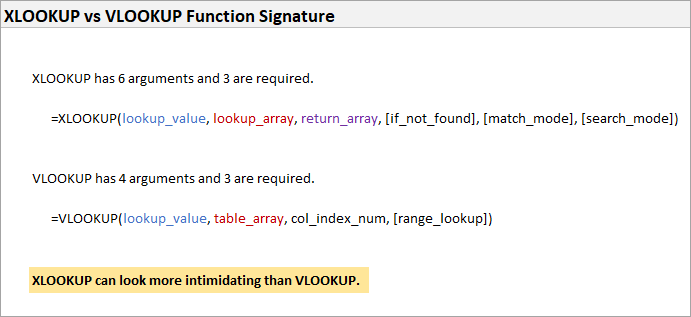
Do I still need to learn VLOOKUP?
Again the answer is yes!
Look at this article announcing the release of XLOOKUP in 2019:
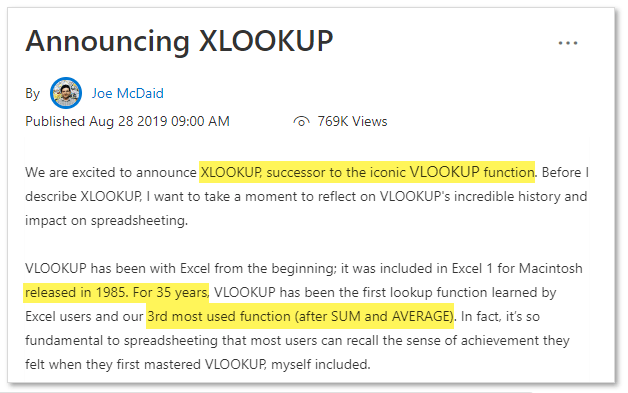
If VLOOKUP has been in use for 35 years and is the third most popular function, you can guarantee that there are billions of VLOOKUP formulas out there. XLOOKUP may be the way of the future, but VLOOKUP is a big part of the past. So for the present, it's still important that you know how VLOOKUP works because you will come across it in your Excel adventures.
Source: excelcampus.com

12/11/2025


