
- Training
- Service
- Promotion
- Schedule
- Testing Center
- News
- Contact
6/29/2022


Excel for the web
Sheet Protection
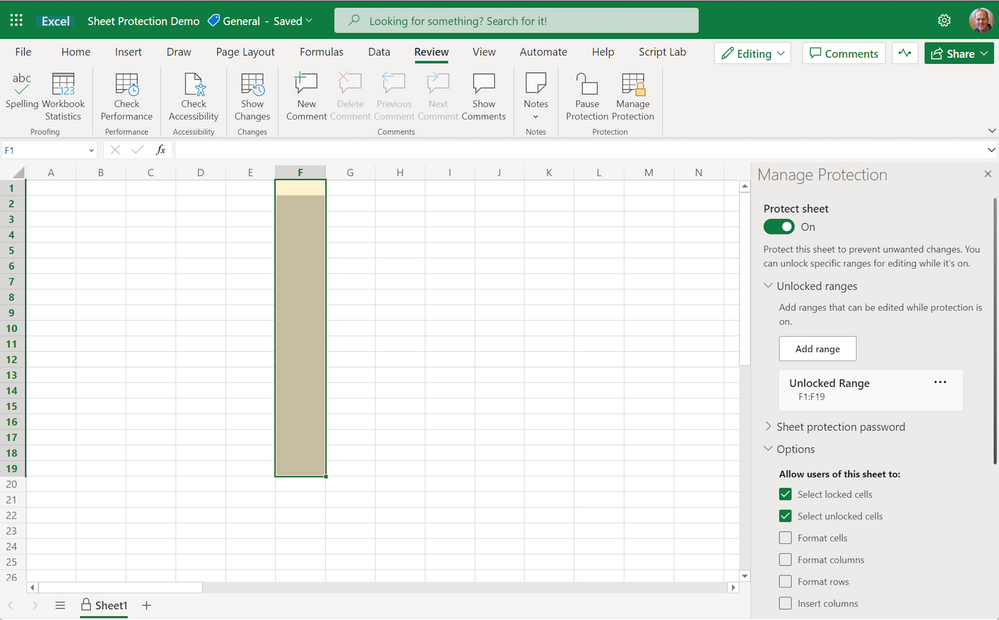
Excel for the web now supports enabling and configuring sheet protection. Users can now turn sheet protection on and off, temporarily pause protection for just their session, and configure unlocked ranges and other sheet protection options.
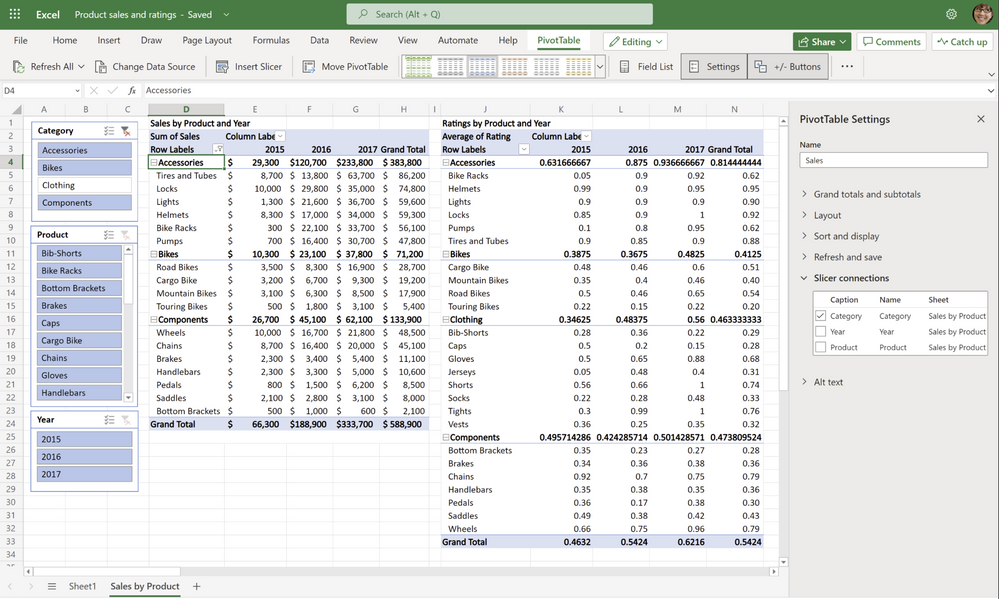
“PivotTable Connections” in slicer settings pane
Customize which slicer applies to which PivotTable - now in Excel for the web! Choose your slicer connections in the PivotTable settings in Excel for the web.
Semi-select for links creation
Create workbook links using cross-workbook formula selection, also known as semi-select - now in Excel for the web.
Excel for Windows
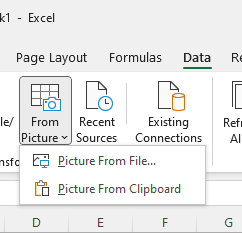
Data from Picture (Insiders Beta)
With the new Data from Picture feature in Excel for Windows, you can insert data from a picture on your clipboard or an image file from your computer. There’s no need to type all the data—Excel can do it for you!
Provide automatic alt-text suggestions on charts and PivotCharts
Are you frustrated by charts missing their alternative text, so you don't know what the chart is conveying? Now, Excel automatically recognizes and generates alt text if you're using a screen reader and you land on a chart or Pivot Chart that is missing it.
Excel for Mac
Provide automatic alt-text suggestions on charts and PivotCharts
Excel now automatically recognizes and generates alt text if you're using a screen reader and you land on a chart or Pivot Chart that is missing it.
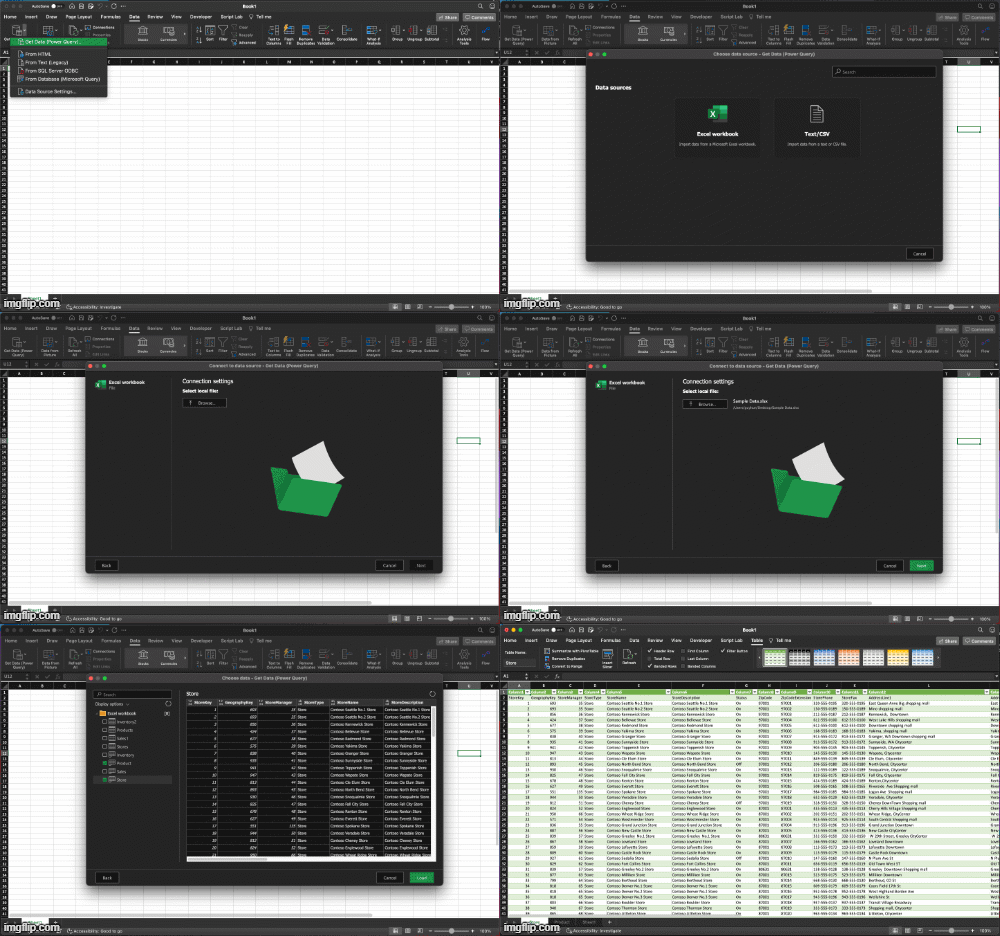
Import from local text, CSV, and XLSX files with data preview
You can now import data from local files such as Excel workbooks, Text and CSV files, using Power Query in Excel for Mac.
Source: techcommunity.microsoft.com

12/11/2025


