
- Training
- Service
- Promotion
- Schedule
- Testing Center
- News
- Contact
4/10/2020


Microsoft Power Apps works with other technologies to help you build powerful apps for your organization. Some of these technologies include:
Data sources, connections, and gateways
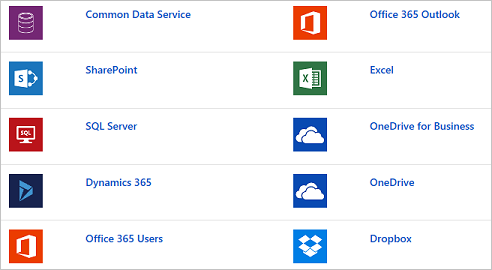
In Power Apps, most canvas apps use external information that is stored in Data Sources. A common example is a table in an Excel file that is stored in OneDrive for Business or SharePoint. Apps access these data sources by using connections. Some connections allow Power Apps to read and write stored data. In Power Apps, you can add many data sources to your apps through built-in or custom connectors. Some of the most popular data sources are shown in the following figure.
Many data sources are cloud services, like Salesforce. Even Twitter can be a data source if, for example, you're tracking your company's hashtags. Connectors might not seem like the most exciting part of app development; however, they're essential when you work with data that you, your colleagues, and your customers care about. When an app shows up with your data source for the first time, you might suddenly find that they are, in fact, exciting.
For data that's stored on-premises instead of in the cloud, you can use a gateway to provide a reliable connection between Power Apps and your data source. The gateway sits on an on-premises computer and communicates with Power Apps.
An advantage of building your business apps in Power Apps is being able to connect to many data sources in a single app. With the connectors in Power Apps, you can connect to where your data lives. To learn more about data sources in Power Apps, refer to the Working With Data learning path.
Common Data Service
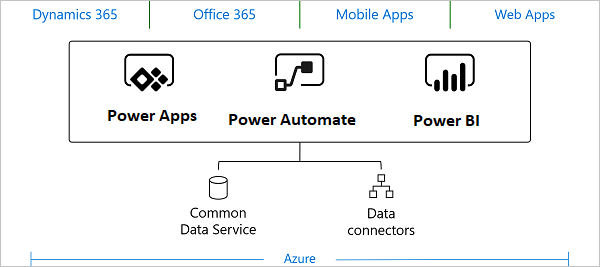
An important data source option to explore further is the Common Data Service. Common Data Service lets you store and manage data that's used by business applications. Data within Common Data Service is stored within a set of entities. An entity is a set of records that are used to store data, similar to how a table stores data within a database. Common Data Service includes a base set of standard entities that cover typical scenarios, but you can also create custom entities that are specific to your organization and then populate them with data by using Power Query. App makers can then use Power Apps to build rich applications by using this data.
For information on purchasing a plan to use Common Data Service, refer to the License and Pricing information pages.
Reasons to use Common Data Service
Standard and custom entities within Common Data Service provide a cloud-based storage option for your data. Entities let you create a business-focused definition of your organization's data for use within apps. If you're unsure if entities are your best option, consider the following benefits:
Power Automate
You can use Power Automate to create logic that performs one or more tasks when an event occurs in a canvas app. For example, configure a button so that, when a user selects it, an item is created in a SharePoint list, an email or meeting request is sent, a file is added to the cloud, or all of these. You can configure any control in the app to start the flow, which continues to run even if you close Power Apps.

12/11/2025


