
- Training
- Service
- Promotion
- Schedule
- Testing Center
- News
- Contact
4/10/2020


This unit explores each part of the following Power Apps components:
Power Apps Home Page
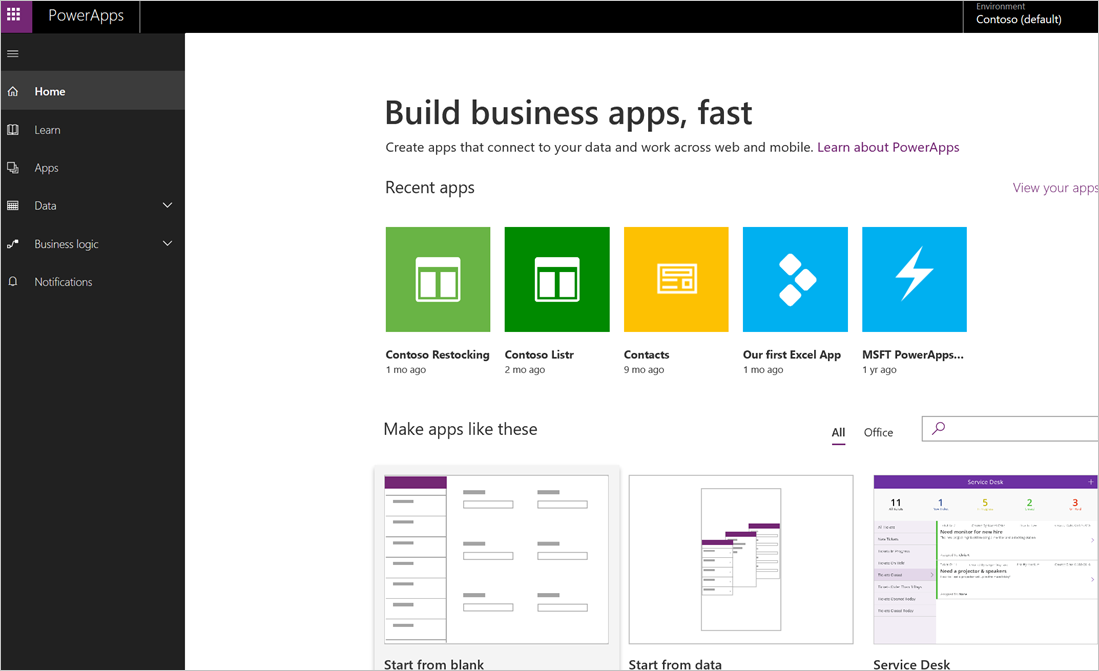
If you are building an app, you'll start with the Power Apps Home Page. You can build apps from sample apps, templates, or a blank screen. All the apps that you've built appear here, along with any apps that others have created and shared with you.
Power Apps Studio
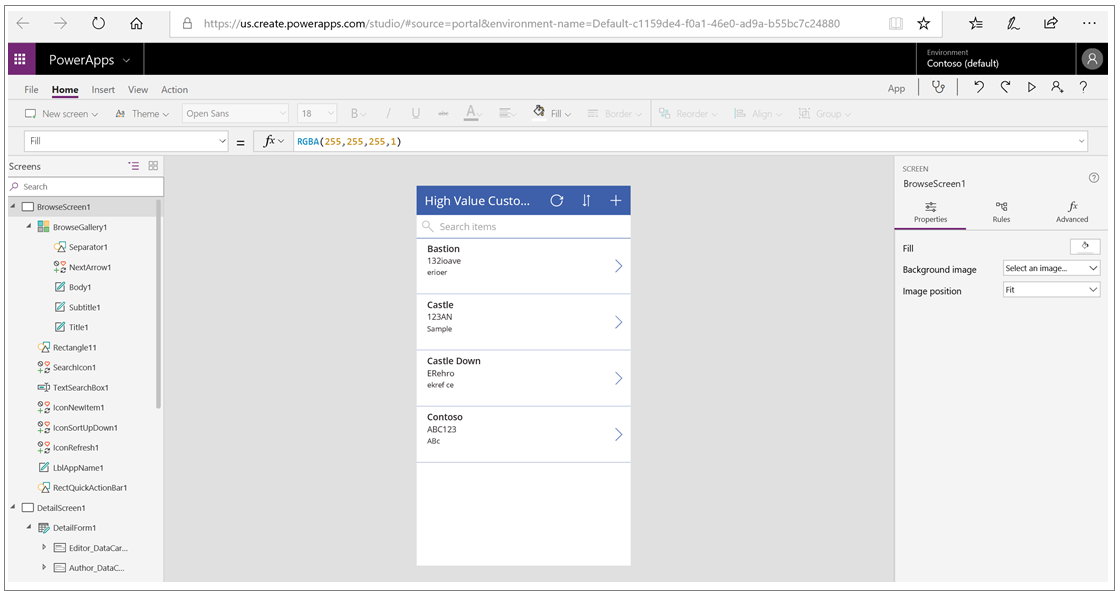
Power Apps Studio is where you can fully develop your apps to make them more effective as a business tool and to make them more attractive. Power Apps Studio has three panes that make creating apps seem more like building a slide deck in Microsoft PowerPoint:
Power Apps Mobile
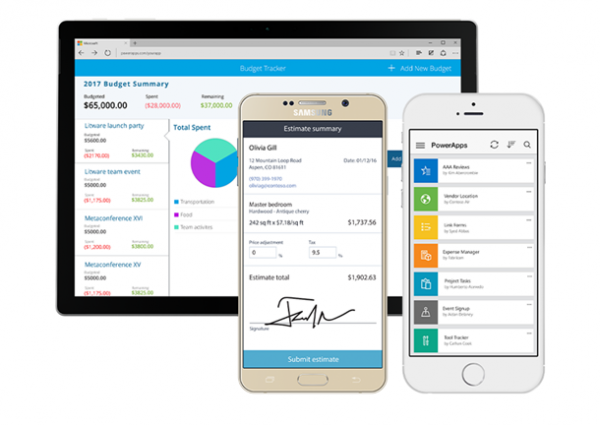
Power Apps Mobile for Windows, iOS, and Android devices allows you to use all the apps that you've created, and those others have shared with you, on your mobile device. You or your users can download the Microsoft Power Apps app from the appropriate app store. When users log in with their credentials, they will see all apps that have been shared with them. The Power Apps Mobile app only needs to be downloaded once.
When you use apps in Power Apps Mobile, you get the most out of your device's capabilities: camera controls, GPS location, and more.
Power Apps Admin center
The Power Apps admin center is the centralized place for managing Power Apps for an organization. On this site, you can define and manage different environments to house the apps. For example, you might have separate environments for development and production apps. Additionally, you can define data connections and manage environment roles and data policies.

12/11/2025


