
- Training
- Service
- Promotion
- Schedule
- Testing Center
- News
- Contact
7/17/2024


Our latest update for web users brings you a host of powerful features designed to make your spreadsheet tasks simpler, faster, and more enjoyable. From effortless resizing and streamlined inserts to enhanced navigation and easy cell highlighting, discover how these modern tools can revolutionize your workflows. previewing hyperlinks, customizing your view, renaming sheets, and more, is smoother than ever, allowing you to focus on what matters most—your data.
.gif)
Resize rows and columns with ease
Quickly resize rows and columns for better data visibility and presentation. Hover over the border of a row or column header, click and hold the handles, then drag to resize.
.gif)
Simplified insert options
Our new simplified interface makes adding rows, or columns to your spreadsheet a snap. Just hover over the respective row or column header and then click on the small circles (convert to + on hover). Streamline your workflow and get more done in less time.
.gif)
Streamlined unhide feature
Show hidden rows or columns with one click and get a complete view of your data instantly. Just hover over the row or column header and then select the small arrows that appear.
.gif)
Freeze panes for better navigation
Keep important headers or columns visible as you scroll to ensure that important information stays visible, no matter how far you scroll down or across your spreadsheet.
To do so, drag the handles in the top left corner of the headers and drag them to the desired position. To change existing freeze panes, just drag the freeze pane line.
.gif)
Drag & drop to rearrange elements
Effortlessly rearrange elements in your worksheet with drag and drop, making data organization a breeze.
To try the drag and drop feature, select any row or column, hold and drag when the cursor shows the hand icon, and then drop in any other row or column.
.gif)
Highlight cells for clarity
Highlight important cells to emphasize critical information and improve readability. To use this feature, just select a row, column, range of cells, or individual cell.
.gif)
Hyperlink Previews
Now, when you hover over web or internal links, you'll see improved hyperlink previews with options to copy, edit, or remove the link. If a thumbnail of the linked page is available, you'll see that too, giving you a better idea of where the link will take you.
.gif)
Easily Adjust Zoom in Status Bar
Customizing your grid zoom just got easier with the status bar. You can now quickly edit zoom values to suit your preferences.
.gif)
Hassle-free Sheet Rename
Renaming sheets is now a breeze. Simply go to the sheet tab and double-click to rename it directly—no more navigating through dialogs.
.gif)
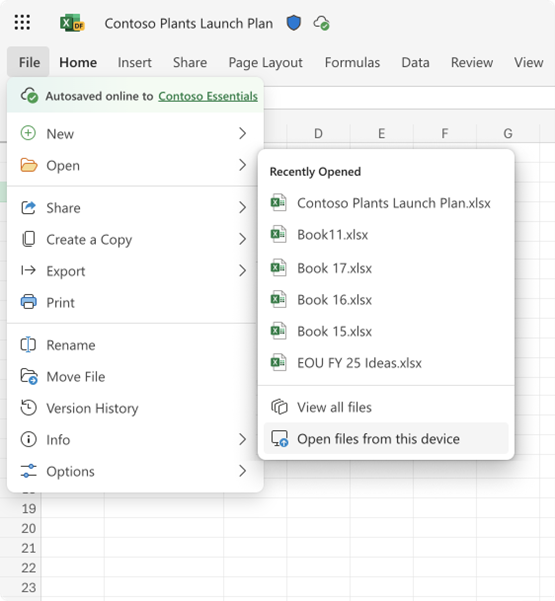
Open Local Files in Your Browser with Excel for the Web
We've added a handy "Open files from this device" option in the file menu. This lets you upload a local file to your OneDrive and access it directly from your browser.
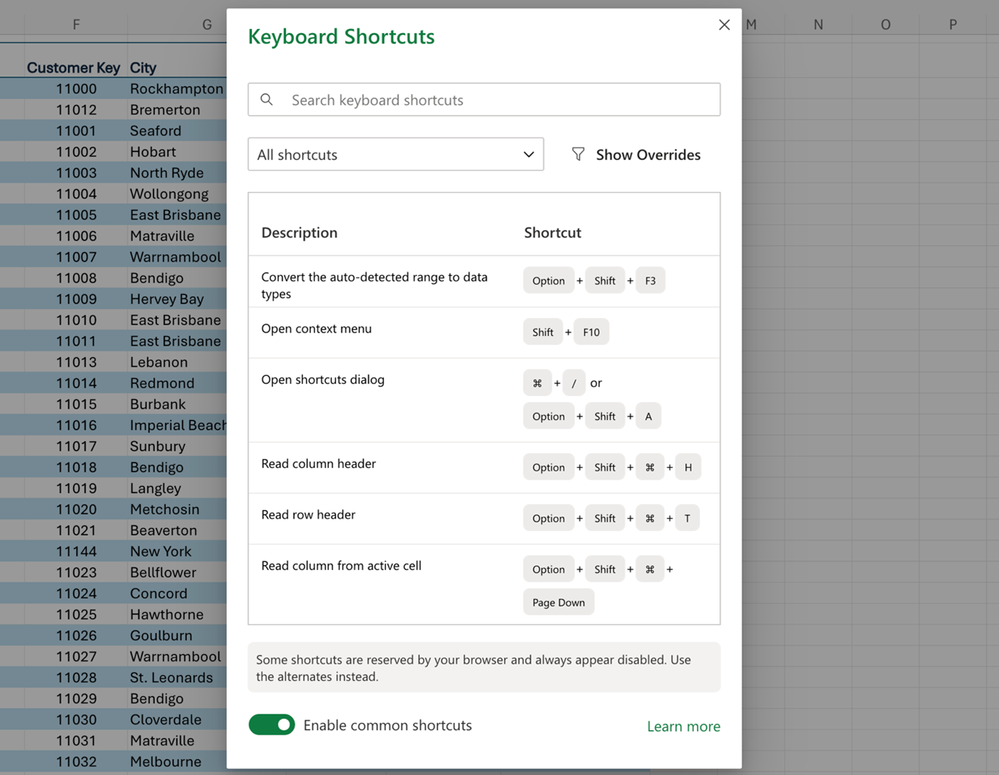
New Keyboard Shortcuts for Faster Access
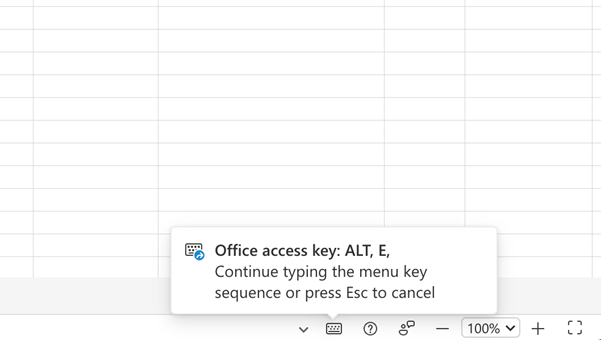
Good news for keyboard shortcut enthusiasts! We've added support for accelerator keyboard shortcuts (Alt, E, Alt, V, Alt, I, Alt, O) and over 120 legacy shortcuts. Additionally, we have modernized the Keyboard Shortcuts dialog, with richer information and styling.
One Click feedback and Help
You can now quickly access shortcuts to Feedback, Help, and Keyboard shortcuts, all at your fingertips, from the Status bar.
Availability
These features are currently rolling out to all Excel for the web users.
Source: techcommunity.microsoft.com

12/11/2025


