
- Training
- Service
- Promotion
- Schedule
- Testing Center
- News
- Contact
5/2/2019



Power BI Report Server is the on-premises solution for reporting today, with the flexibility to move to the cloud tomorrow. It's included with Power BI Premium so you have the ability to move to the cloud on your terms.
Report Server gives your users access to rich, interactive reports, and the enterprise reporting capabilities of SQL Server Reporting Services. Explore visual data and quickly discover patterns to make better, faster decisions. At the same time, generate pixel-perfect paginated reports your business needs. You also have the ability to confidently scale to thousands of users because Power BI Report Server is based on a proven, enterprise-grade platform.
Step 1: Truy cập vào trang sau https://www.microsoft.com/en-us/download/details.aspx?id=55329
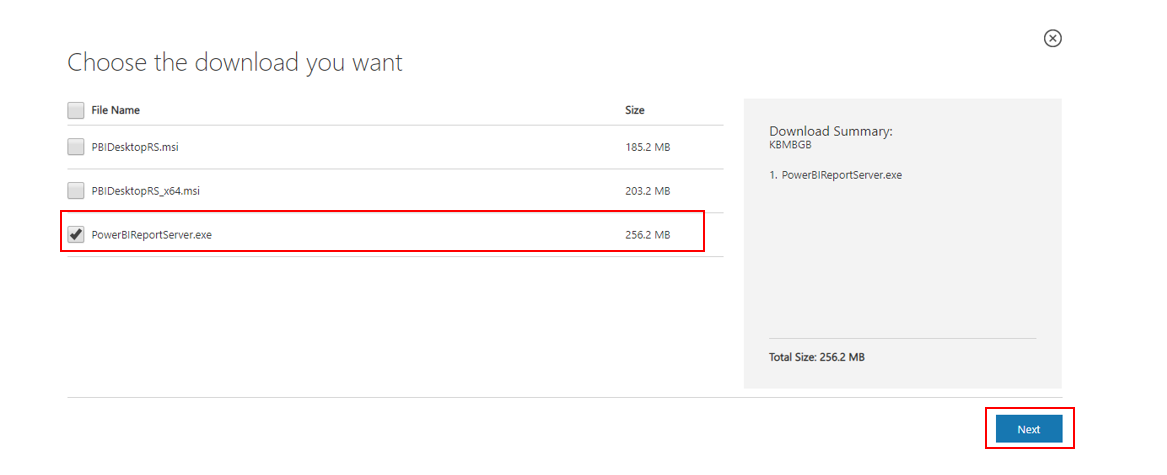
Step 2: Chọn sản phẩm Power BI Report Server
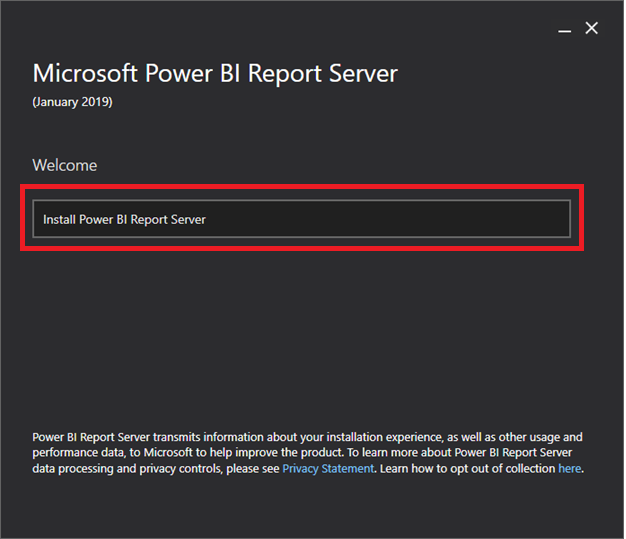
Step 3: sau khi download về máy, bạn mở ứng dụng lên – chọn Install Power BI Report Server
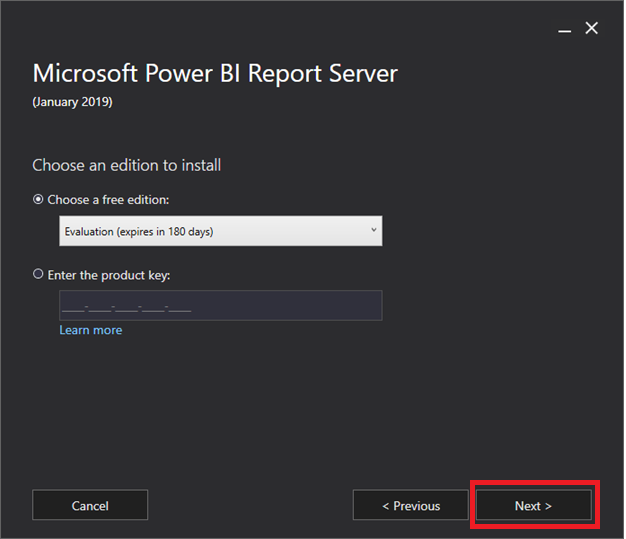
Step 4: tại đây có 2 phiên bản để bạn chọn lựa, chọn: Choose a free edition (dùng thử 180 ngày), nếu có license code, chọn Enter the product key, nhập licensce. Tiếp theo chọn Next
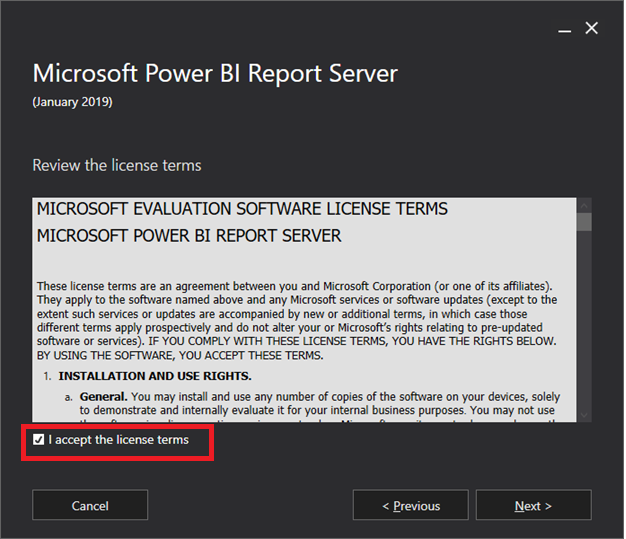
Step 5: Chọn I accept the license terms xác nhận đồng ý các điều khoản bản quyền -> Chọn Next
Step 6: tại bước này yêu cầu bạn phải có môi trường SQL Server Database Engine (SSDE) dùng cho việc lưu trữ. SSDE có thể cùng cài đặt chung trên một máy chủ hoặc máy chủ khác. Chọn Install Power BI Report Server Only -> Chọn Next.
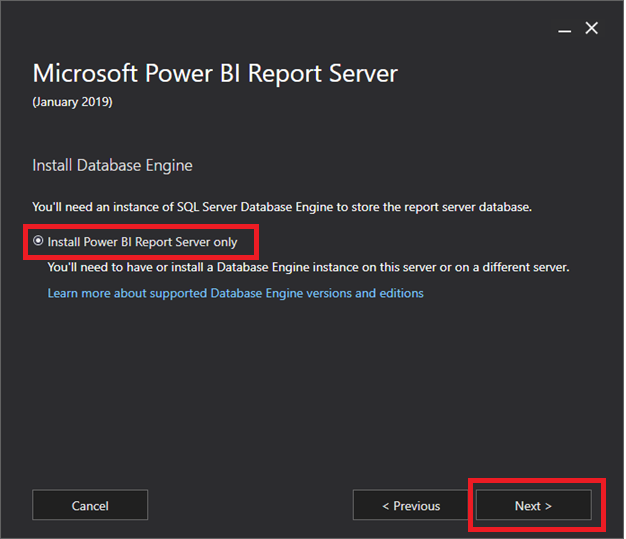
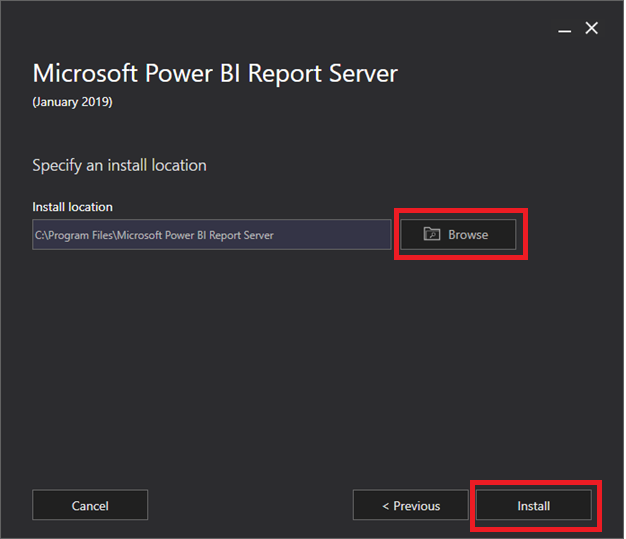
Step 7: Chọn nơi lưu trữ (đảm bảo dung lượng bộ nhớ tối thiểu 50GB) -> chọn Install để tiến hành cài đặt
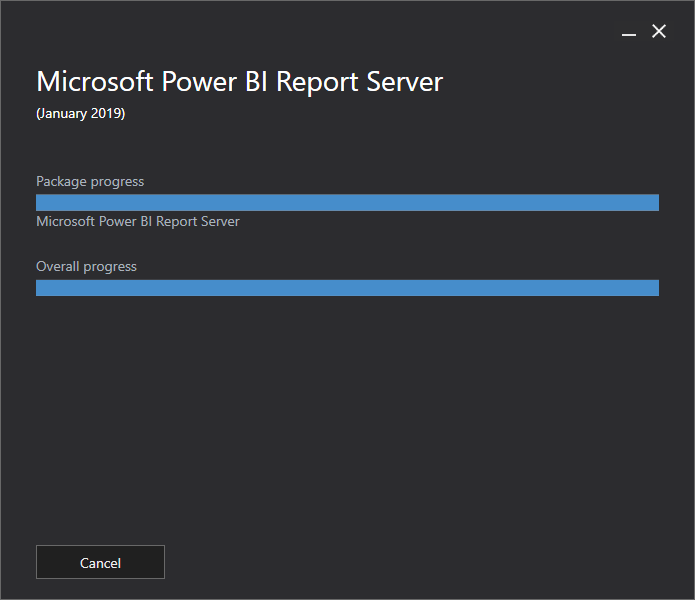
Step 8: Chờ quá trình cài đặt kết thúc, đảm bảo internet hoạt động không bị gián đoạn
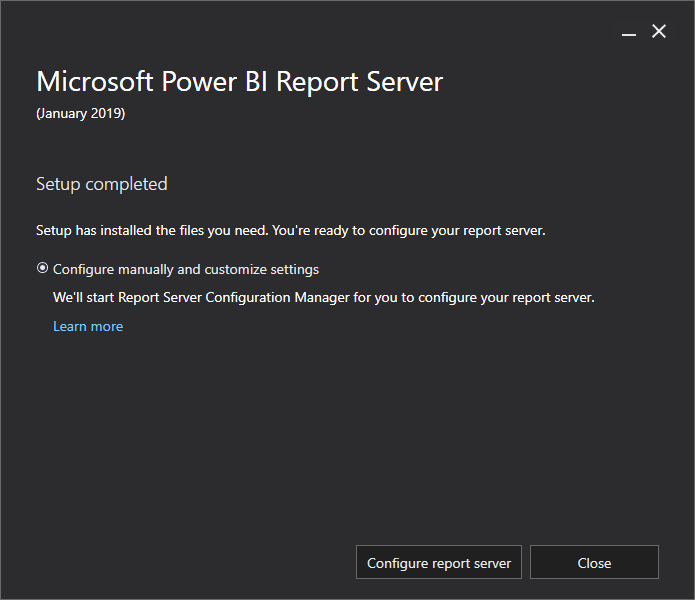
Hoàn tất cài đặt Power BI Report Server

12/11/2025


