Data Connection Types in Qlik Sense
3/9/2021
There are three different protocols in Qlik Sense. Those are Qlik Sense Desktop, Qlik Sense Enterprise and Qlik Sense Cloud and they have a difference in them in terms of available data connection types.
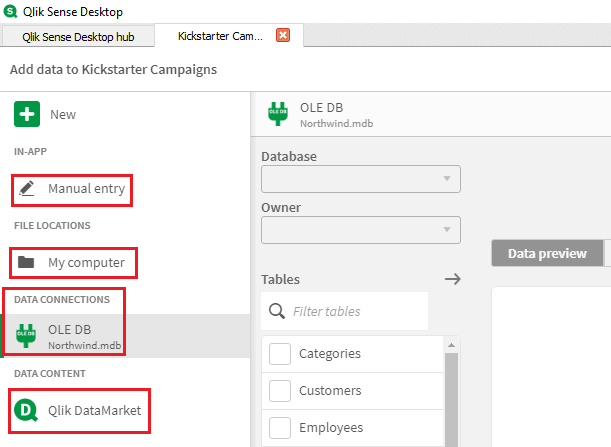
In Qlik Sense Desktop version, you have four different options to create a data connection.
- Manual Entry: you’ll be able to enter data manually inside the Qlik Sense app.
- My Computer: you will be able to create a connection to the local files available on your computer.
- Data Connections: create a connection to the data sources using available data connectors on your desktop
- Qlik DataMarket: create a connection to Qlik DataMarket data.
In Qlik Sense Enterprise version, you have everything available that is available in the Desktop version, but with the three main differences.
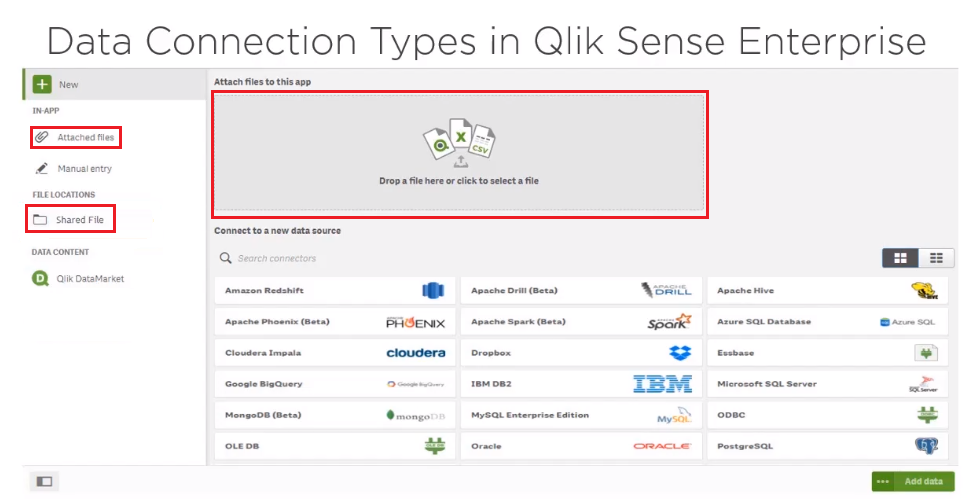
- Attached File: attach a file to the application and that file will be only available to the app that it’s attached to.
- Shared File: if you want to create a connection to the local files on your computer, then you’ll have to move it to the folder that is available to the Qlik Sense Enterprise
- Drag and drop File: you can drag and drop the file onto the application to attach it to the application. This is the same as Attached files option. Qlik Sense Enterprise is a governed environment, so you may see some or all the connection types in the data connections available to you depending on the access setting on the QMC side.
In the Qlik Sense Cloud version, you have these options to create a data connection:
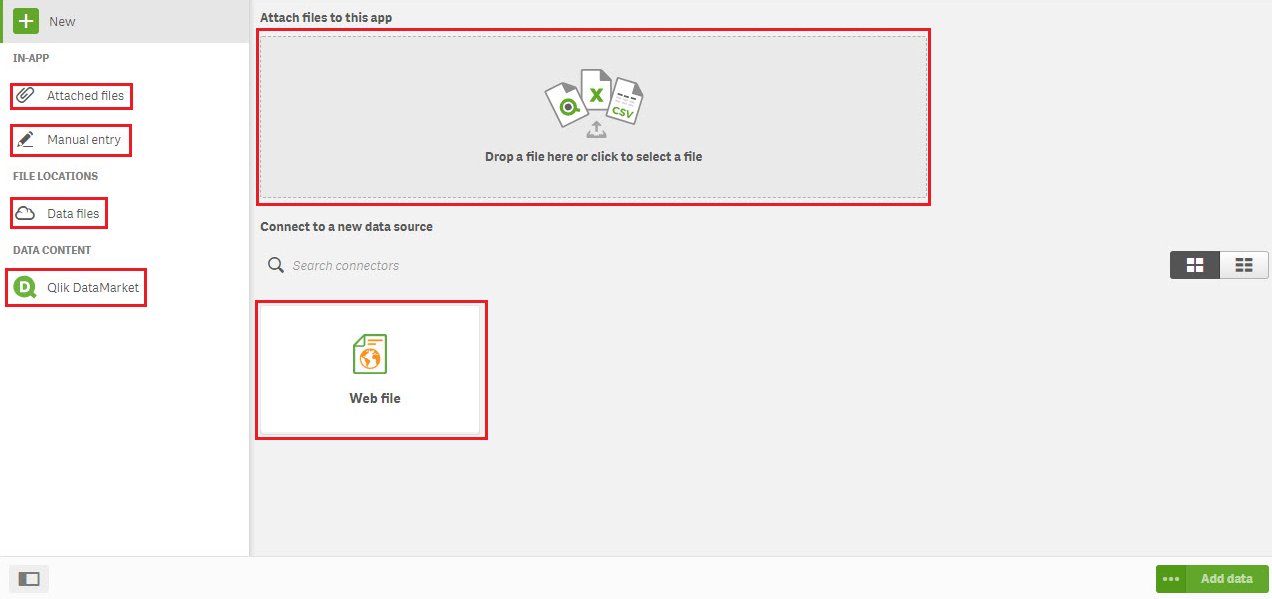
- Attach File: attach a file to the application and that file will only be available to the app that it's attached to.
- Manual Entry: if you want to access any file from your local computer or any third network, then you'll have to upload it to the Qlik Sense Cloud to access it inside the application. Once you upload the file, those files will be available to any application that you're going to create on the cloud.
- Qlik DataMarket: you also have the option to drag and drop the file onto the cloud to attach it to the application. This is the same as Attached files option. You do not have any data connected on the Qlik Sense Cloud.
- Connection to the web files.


