- Training
- Service
- Promotion
- Schedule
- Testing Center
- News
- Contact


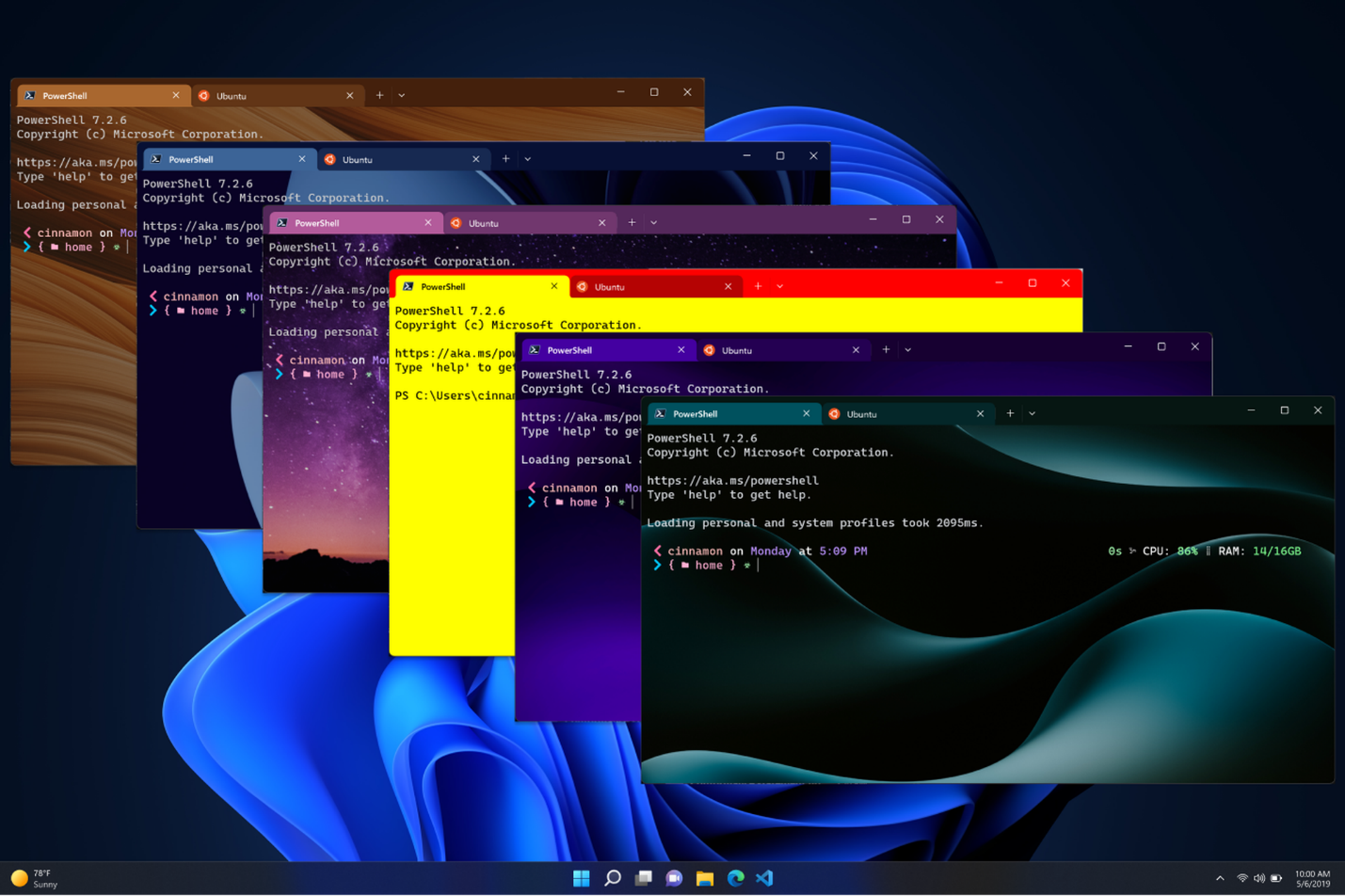
Microsoft will be adding full theme support to its Windows Terminal this week. Customization support allows Windows Terminal users to change the look and feel of tabs, windows, and even the background image for the Terminal interface. Microsoft has also tweaked Windows Terminal to always use a dark theme, instead of the Windows system theme.
However, themeing Windows Terminal is not a straightforward process unless you are a developer. Themes can only be edited using a JSON file, and they will appear in the theme drop-down menu in the settings of Windows Terminal. Microsoft has provided some sample JSON to help get everyone started, and you're free to get as creative as you want with combinations of colors and background images.
Microsoft is also modifying the default colors in Windows Terminal "for a more cohesive look," according to Microsoft program manager Kayla Cinnamon. Windows Terminal also has a new text rendering engine underneath, which supports bold text and underline, strikethrough, or hyperlinked lines.
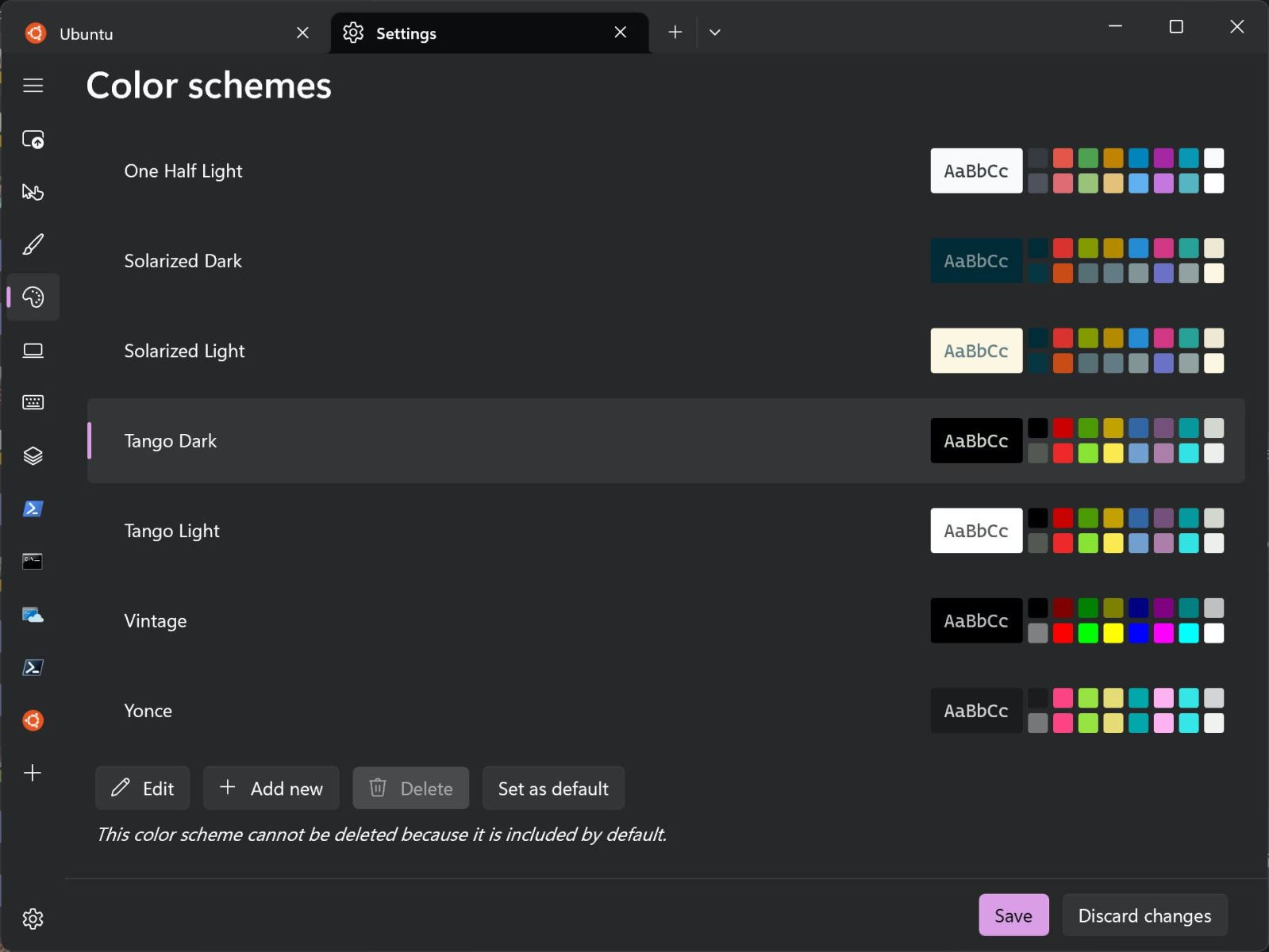
Cinnamon admits: “We found that our color scheme wasn't the most intuitive and could use a design refresh. We've updated the settings UI color scheme page to improve user style and flow. You can also choose a color scheme and easily set it as the default now.
Source: https://www.theverge.com