- Training
- Service
- Promotion
- Schedule
- Testing Center
- News
- Contact


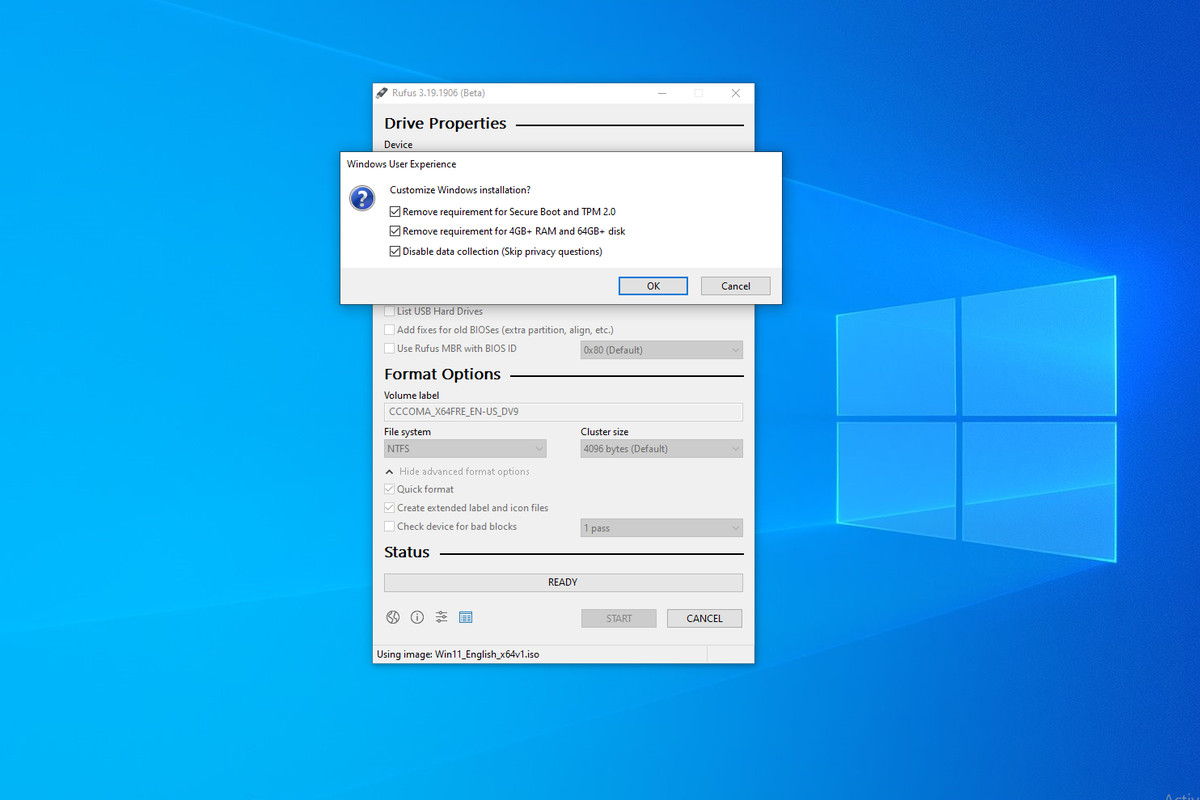
Windows 11 comes with more restrictive installation requirements than its predecessor, including restrictions on older processors as well as internet connection and Microsoft account requirements. Fortunately, there are workarounds that allow upgrading to Windows 11 on unsupported CPUs, and the company won't block such violations. However, if you are looking for a way to do a clean install of Windows 11 and configure the system with only one local account, you can now do it easily with a tool called Rufus.
The app has been long used by IT departments to quickly create bootable Windows installers. The latest beta release, as reported by Ars Technica, now has the ability to remove the requirement of an online Microsoft account, alongside other circumventions. It can bypass computers that lack TPM 2.0 (including Intel Macs), computers that have less than 4GB of RAM or 64GB of storage, and you can also automatically disable data collection.
You'll still need to keep your computer fully offline during setup in order to skip the Microsoft account requirement, just like in previous methods. But the Rufus method makes it much easier by skipping manual registry edits, plus the software is free and open source.
Microsoft upset some users when they upgraded to Windows 11 Home last year by requiring an Internet connection and Microsoft account, and now with the latest 22H2 update, the restrictions also extend to Windows 11 Pro. Microsoft may also block software updates on unsupported machines whenever they deem necessary.
Source: https://www.theverge.com