- Training
- Service
- Promotion
- Schedule
- Testing Center
- News
- Contact


Visual Studio Code for Education is a free online computer science education platform that provides integrated curriculum and a sandbox coding environment for everyone. With zero setup, anyone can be a developer and start learning to code with Visual Studio (VS) Code, the code editor preferred by software development professionals around the world.
Learn to code using real-world tools
Visual Studio Code for Education is a version of VS Code designed for students and educators. Using the same tools and platforms used by professionals, students will learn modern technologies and languages like Python and JavaScript that will help prepare them for the future.
Learn modern technologies and languages with Visual Studio Code for Education.
Coding for everyone
Visual Studio Code for Education is free and available online, so educators and students in any classroom can use it across devices and platforms. Choose from short bite-size lessons or full Python or Web Development courses with interactive assessments and coding challenges.
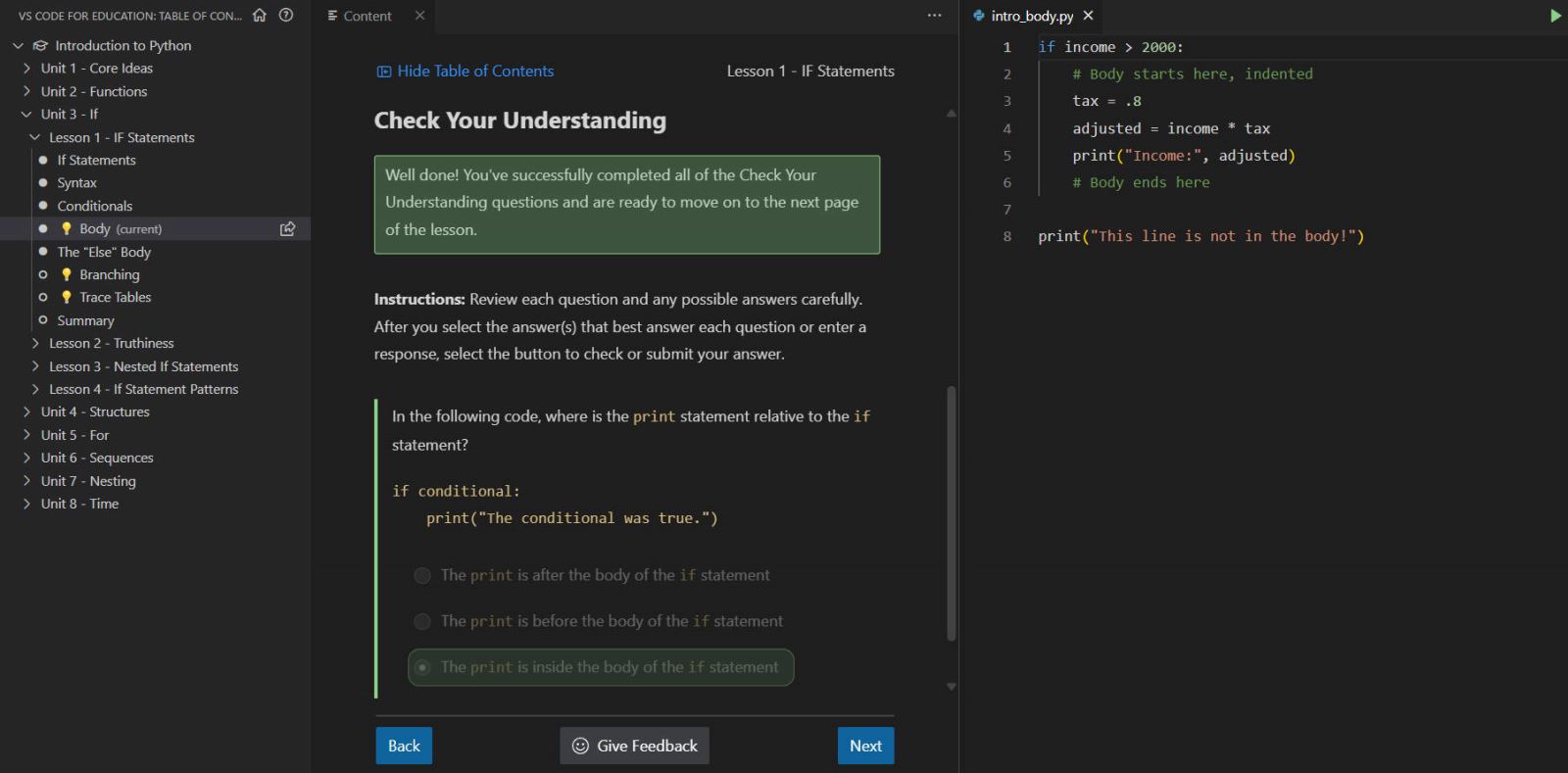
Visual Studio Code for Education is free, available online, and includes courses with interactive assessments and coding challenges.
Accessibility built-in
To ensure that every student can learn to code, accessibility features like Immersive Reader, high contrast, zoom, and screen reader support have been built into Visual Studio Code for Education from the beginning.
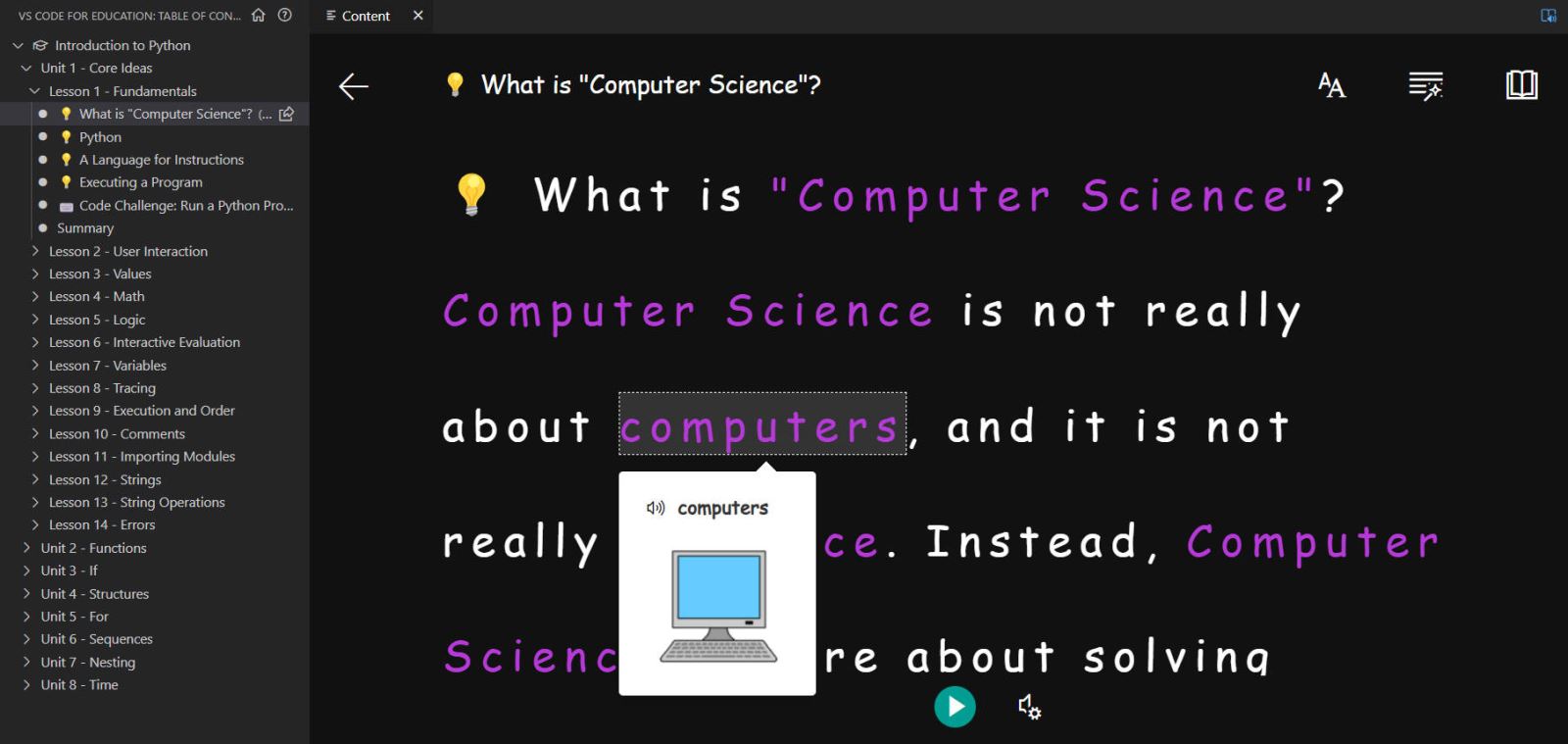
Immersive Reader in Visual Studio Code for Education. Accessibility features have been built into the product to ensure that all students can learn to code.
Courses and coding activities
Visual Studio Code for Education currently offers the following courses:
In addition to these courses, there are also bite-sized, 45-minute or less, fun coding activities available—like a Python Fortune Teller or a Spooky Manor text-based adventure game. These activities focus on specific elements of a programming language and support student creativity, exploration, and expression.
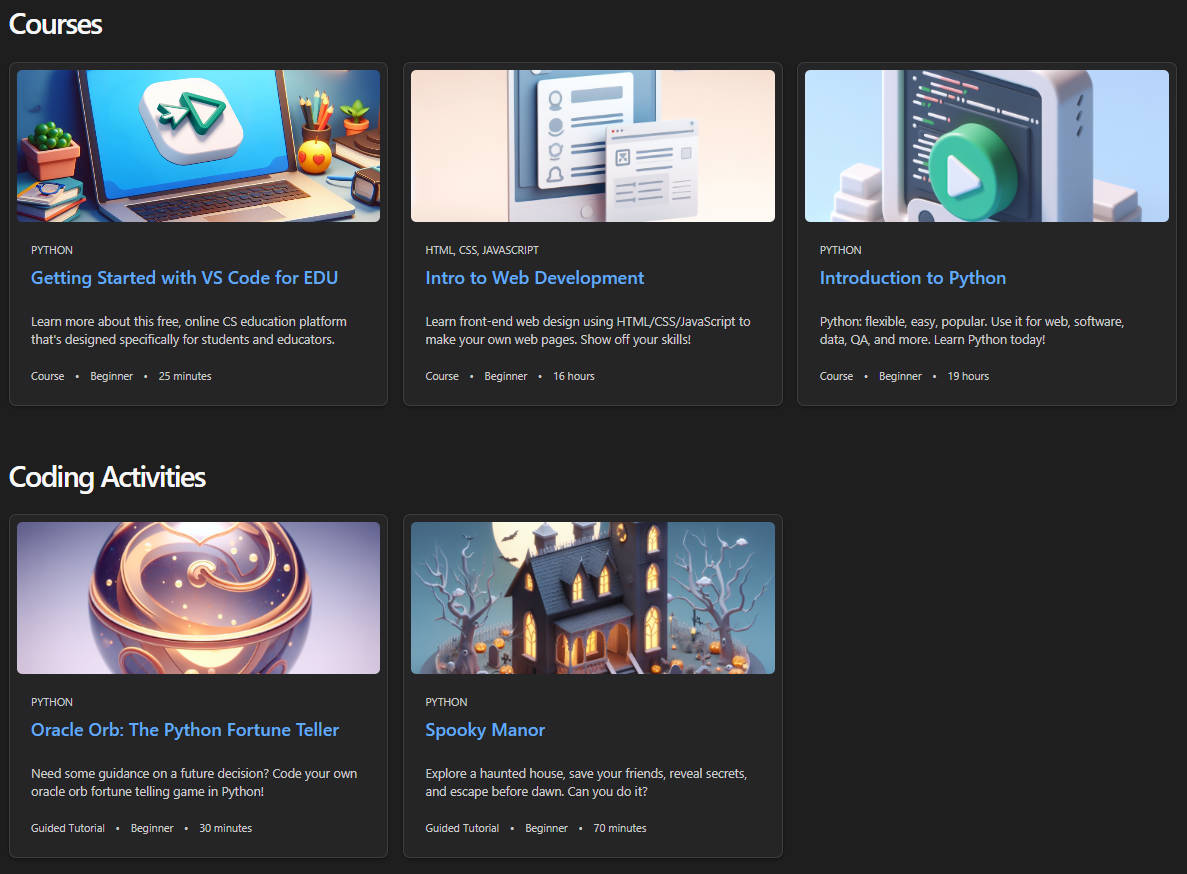
Visual Studio Code for Education offers full courses and bite-sized coding activities to fit the needs of educators and students.
Projects in Visual Studio Code for Education
If you would rather use your own curriculum or lessons with Visual Studio Code for Education, you can also use a project workspace that supports both Python and Web development projects. With zero setup required, students can start editing and running code in the browser. For web projects, students can preview their websites and publish them to the internet.
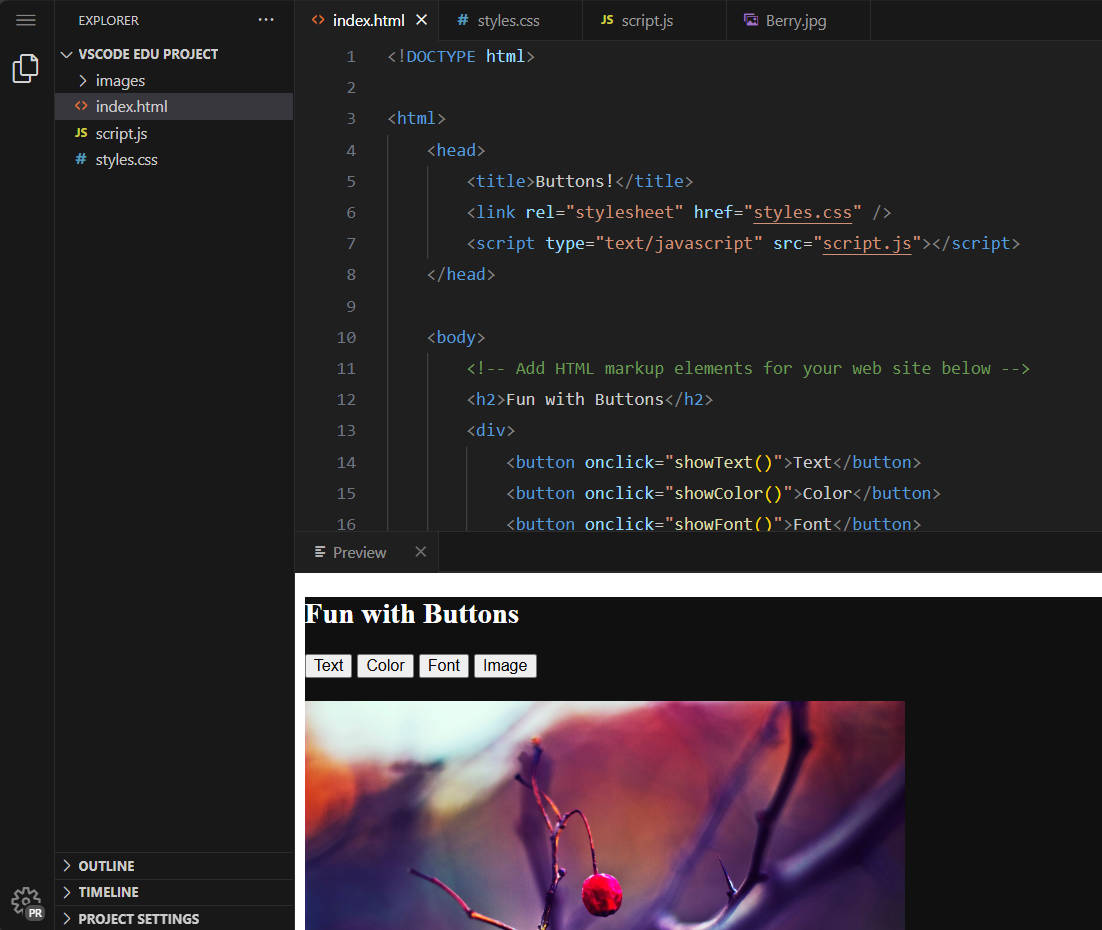
The project workspace in Visual Studio Code for Education supports open-ended Python and Web development projects.
Safe and secure for students and schools
At Microsoft, we value, protect and defend student data privacy and school security with rigorous governance practices and a privacy-by-design approach.
Microsoft and Visual Studio Code for Education protect and defend student data privacy and school security with rigorous governance practices.
How to get started with Visual Studio Code for Education
It’s quick and easy to get started teaching with Visual Studio Code for Education:
As you plan your professional learning, be sure to sign up for one of our free “Getting Started with Visual Studio Code for Education” or other course-specific webinars.
Get started with Visual Studio Code for Education and see how it can be a valuable resource in preparing students for the future!
Source: educationblog.microsoft.com