- Training
- Service
- Promotion
- Schedule
- Testing Center
- News
- Contact


Windows 11 2022 Update includes features like the Start menu folder, improvements to Snap Layouts, Live Captions across the entire operating system, better touch gestures, and even a new Xbox controller bar. It also includes some meaningful accessibility improvements and marks a shift in the way Microsoft is thinking about new features. There's something new here for almost every Windows user.
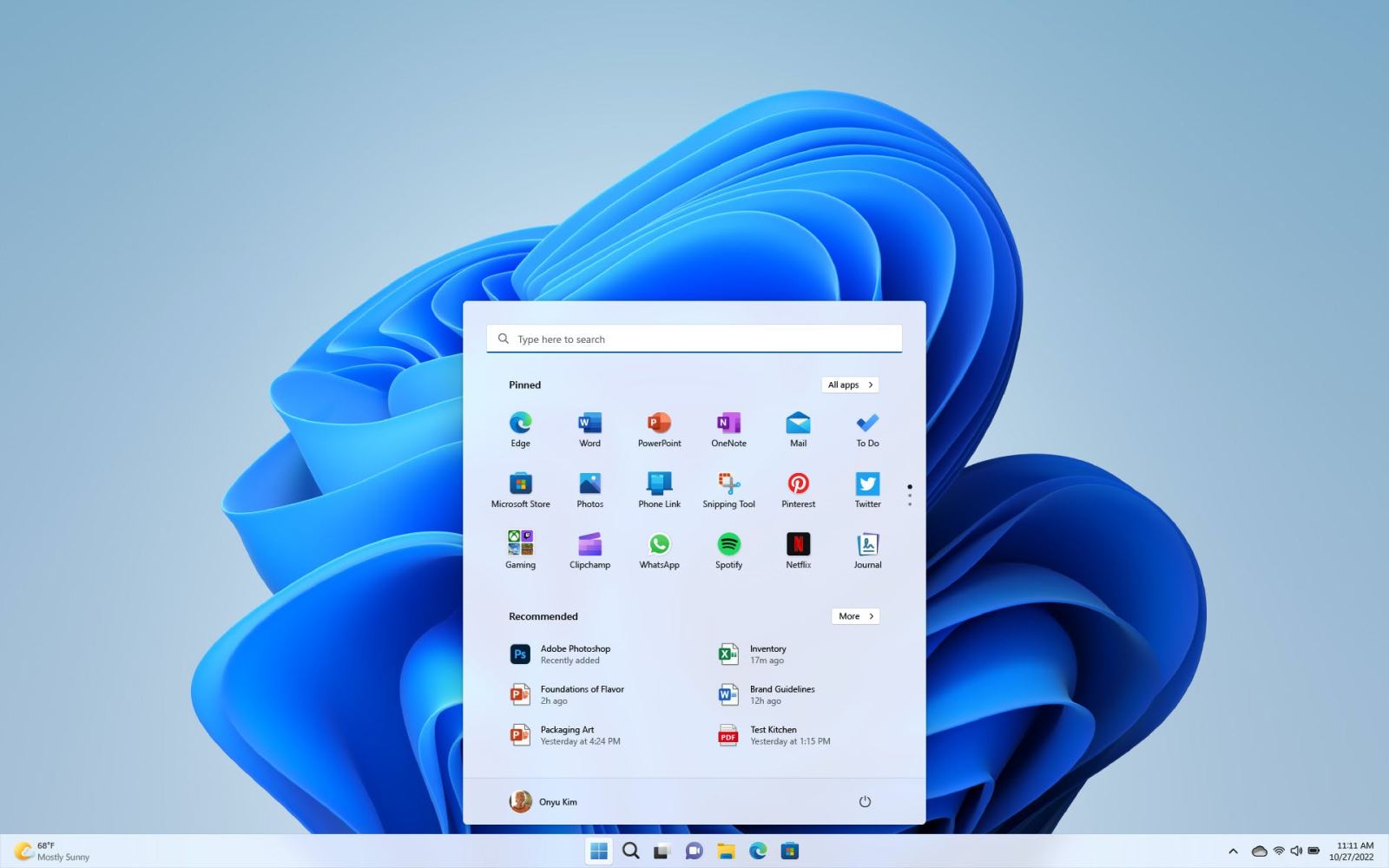
The Start menu folder is the first obvious improvement when you upgrade to Windows 11 2022 Update. You can drag apps on top of each other on the Start menu to create folders and pin them freely. Microsoft has also added the ability to resize the pinned area so you're less likely to see the suggested file feed appear below apps on the Start menu.
One of the favorite features included in Windows 11, Snap Layouts, gets even better in this Windows 11 2022 Update. As soon as you start moving an app or folder around, a new snap bar appears at the top allowing you to quickly organize apps into Snap Layouts, with multiple grids and layout options on top. larger screen.
%3Ano_upscale()%2Fcdn.vox-cdn.com%2Fuploads%2Fchorus_asset%2Ffile%2F23250067%2FSnapLayoutsWIP_resized.gif&w=2400&q=75)
The taskbar date and time went back to multiple screens earlier this year, and Windows 11 2022 Update brings drag and drop functionality back. Just these simple additions have made Windows 11 so much more useful for me personally, and I'm glad Microsoft didn't wait too long to bring them back.
"We've completely overhauled the taskbar for Windows 11 and there are plenty of reasons to do it," said Christina Koehn, chief creative officer of Windows 11,. We know people want to be able to attach it to the left, to the right, or move it around, and it really comes down to prioritizing features based on the needs of our customers.”
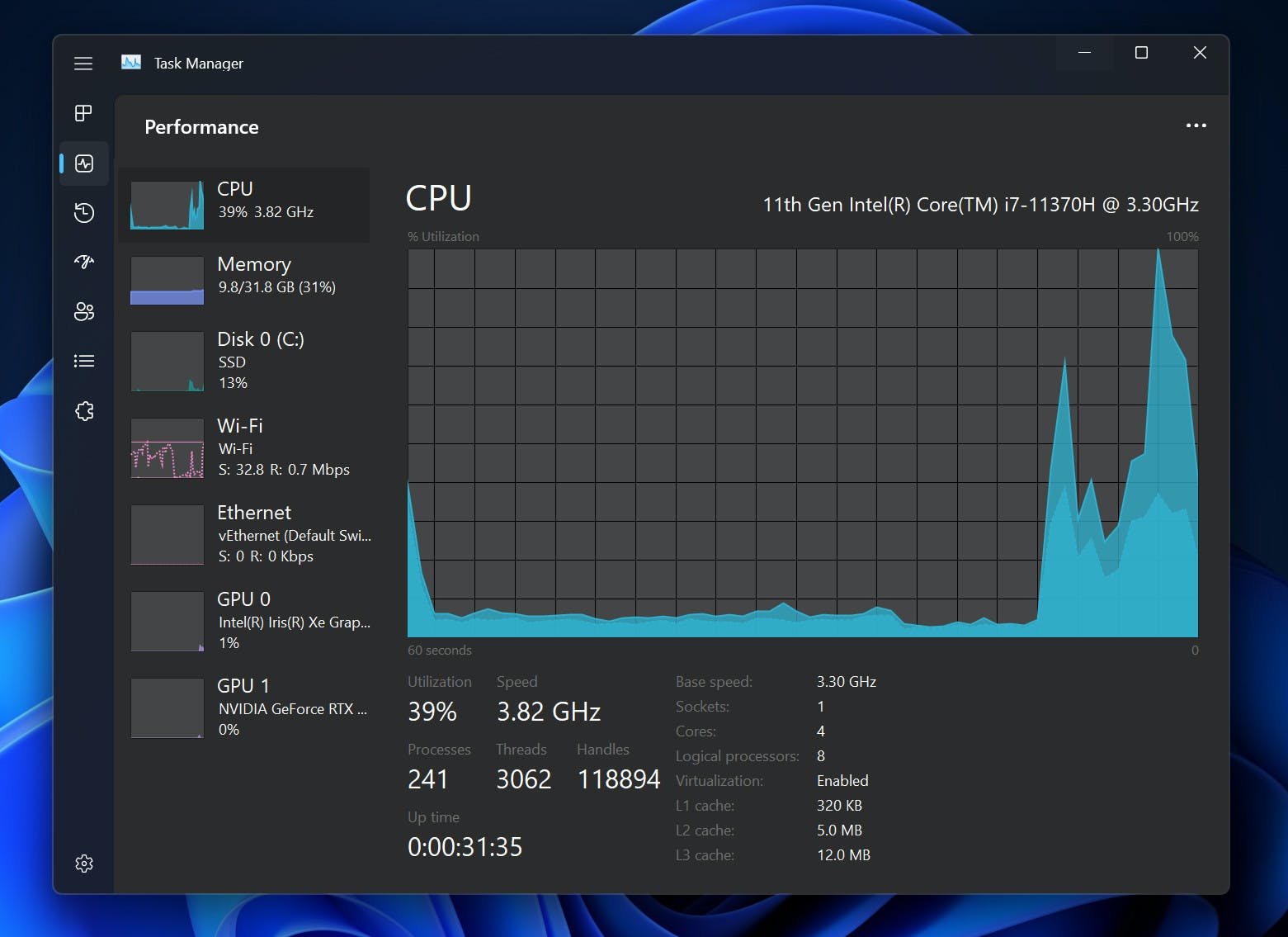
Windows 11 is also starting to seem more consistent. Microsoft made some subtle design changes in the Windows 11 2022 Update, improving animations, icons, and more. Even the dark mode has been improved, with Task Manager now having a new look and dark theme. There are still many parts of Windows 11 that aren't quite dark yet, and it's clear that Microsoft is taking the time to address these in the right way rather than just using a generic black theme everywhere.
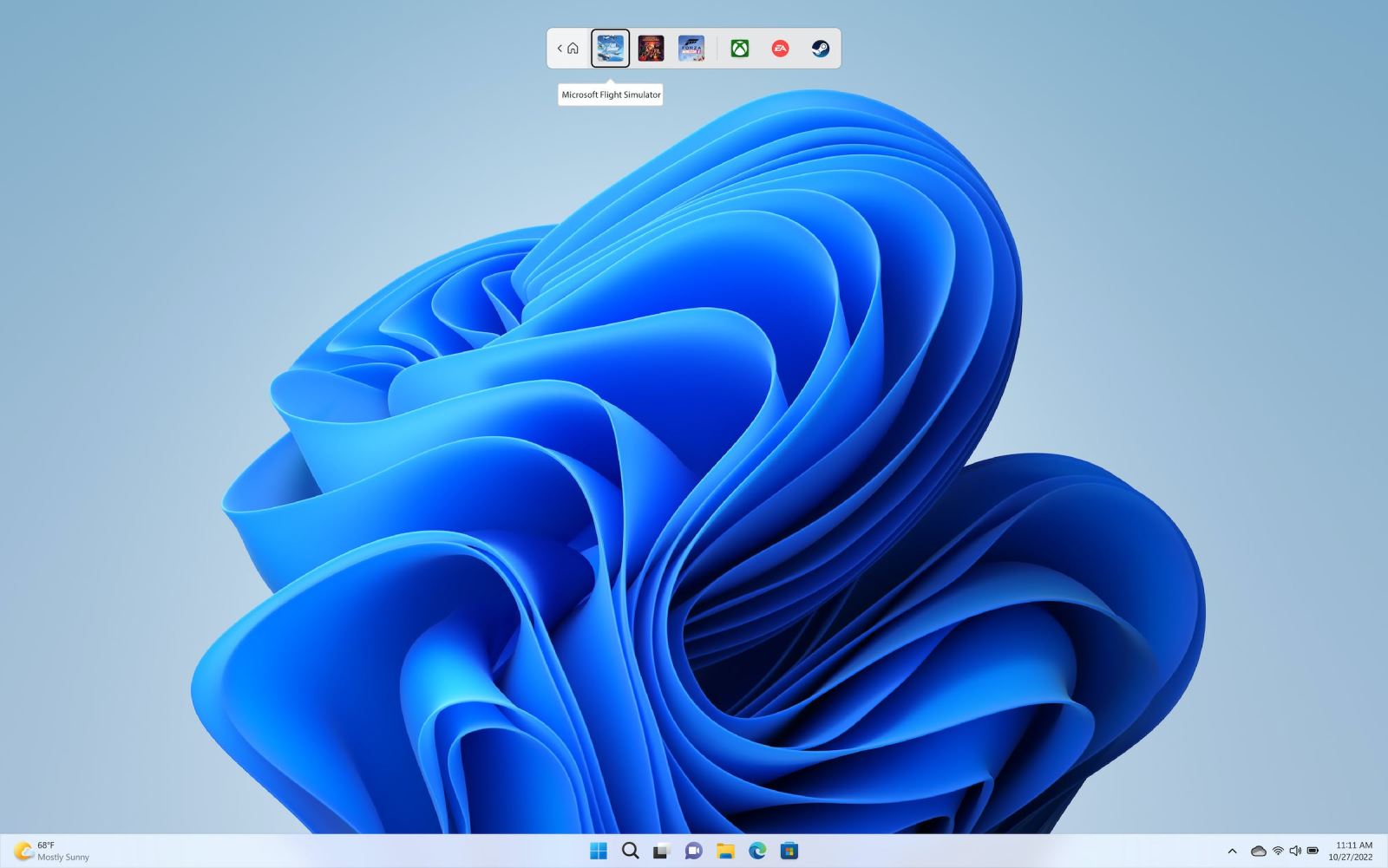
If you're a tablet or 2-in-1 owner, then Windows 11 2022 Update is the must-install. Microsoft has improved a lot of gestures in this update, allowing you to swipe up to access the Start menu or easily switch between apps with gestures. Likewise, if you play the game on Windows, there are some solid improvements with this update. The new Xbox Controller Bar lets you easily navigate launchers and PC games with just your controller, and if you play the game in windowed mode, latency and performance will be improved. good now.
Windows 11 ships with Auto HDR from the Xbox Series X/S console, and Microsoft now allows windows games to support Auto HDR and Variable Refresh Rate (VRR). The optimizations also significantly improve latency for older DirectX 10 and DirectX 11 games running in windowed mode. That's great news for PC gamers, who used to have to run games in full screen before to get all the lag and performance benefits.
Windows 11 2022 Update also has some impressive improvements to accessibility features. One of the best new features is Live Captions. Use Live Captions to automatically caption any content with audio. Live Captions are accessible with the keyboard shortcut Winkey + CTRL + L and it will be very useful for people who are deaf or hard of hearing. All subtitles are automatically generated on the device from any content including audio and subtitles can float in the window or be displayed at the top or bottom of the screen.
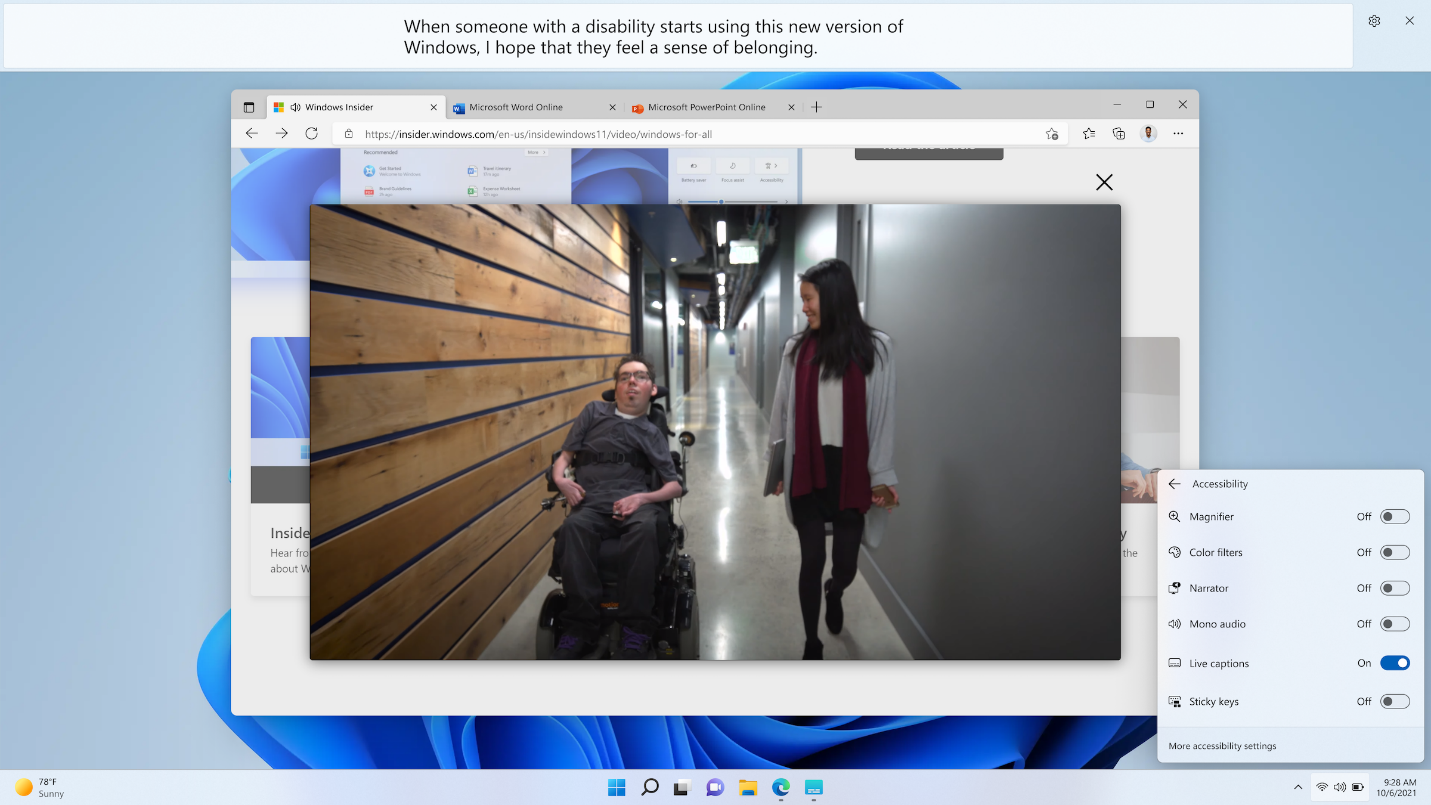
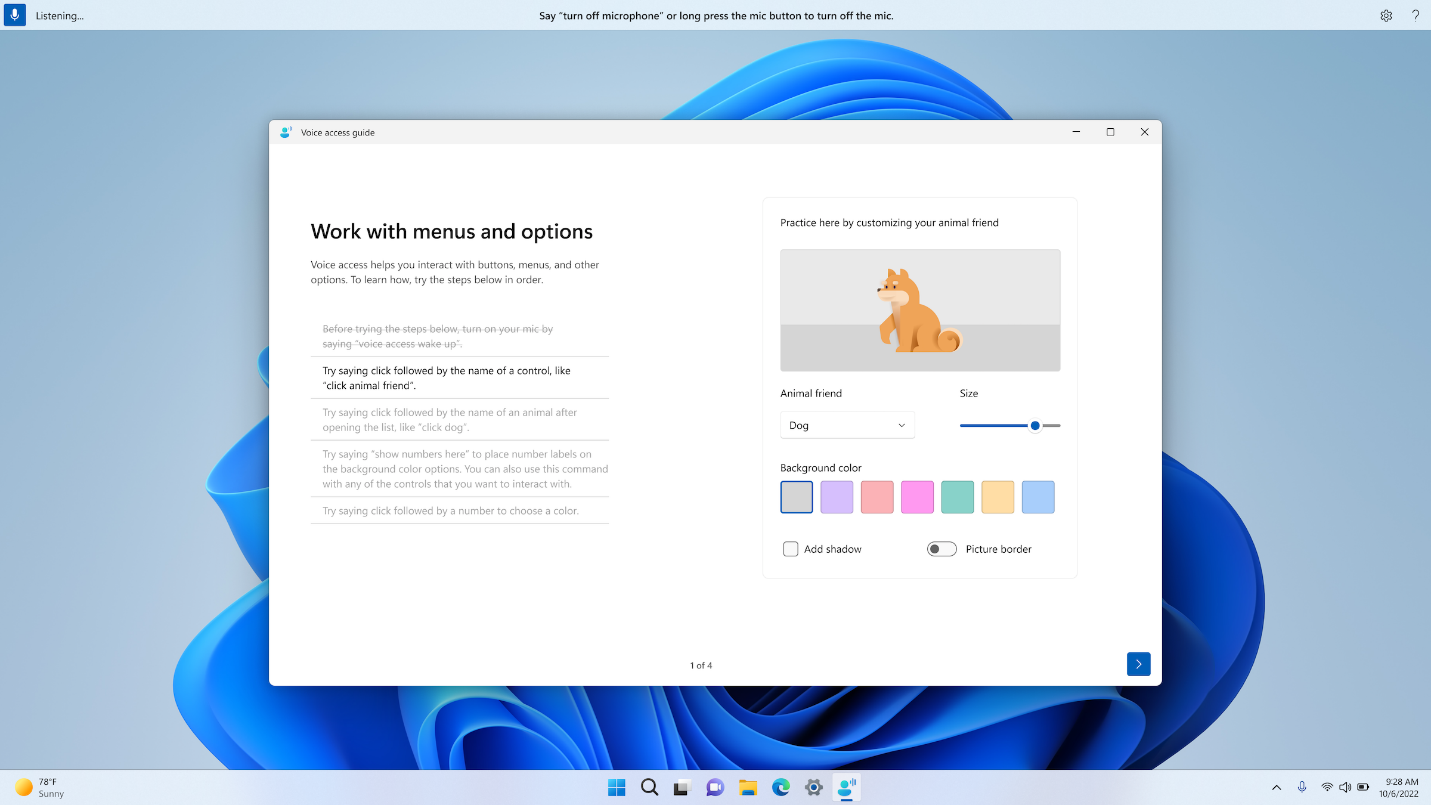
Windows 11 2022 Update also includes Voice Access to let people control their PCs with just their voice, and new voices for Microsoft's Narrator feature. If you've heard the voice of Microsoft Sam in the past, you know how robotic and unnatural the voice is. The new voices of Microsoft are amazing by comparison.
"We're bringing modern text-to-speech capabilities to Windows," said Carolina Hernandez, lead PM at Microsoft. These voices are a closer reflection of natural voices, so it's more enjoyable to hear them."
Voice Access says is another new feature in this update that focuses on accessibility. Voice Access places the narration bar at the top of the screen, where you can use your voice to navigate Windows. You can move the pointer, copy and paste, interact with apps, and basically do anything you can normally do with a keyboard and mouse. This will benefit people with limited mobility or anyone who wants or needs to control their PC with just a microphone.
In addition to impressive accessibility improvements, Windows 11 2022 Update also includes some improvements to focus and "do not disturb" modes. There's a new do not disturb button in the notification panel that can mute notifications if you want to focus on your work, and you can even take it a step further by creating a 30-minute focus session here that clears badge icons you see on the taskbar. It is supposed to be non-distracting and I found it very helpful to write all about this update.
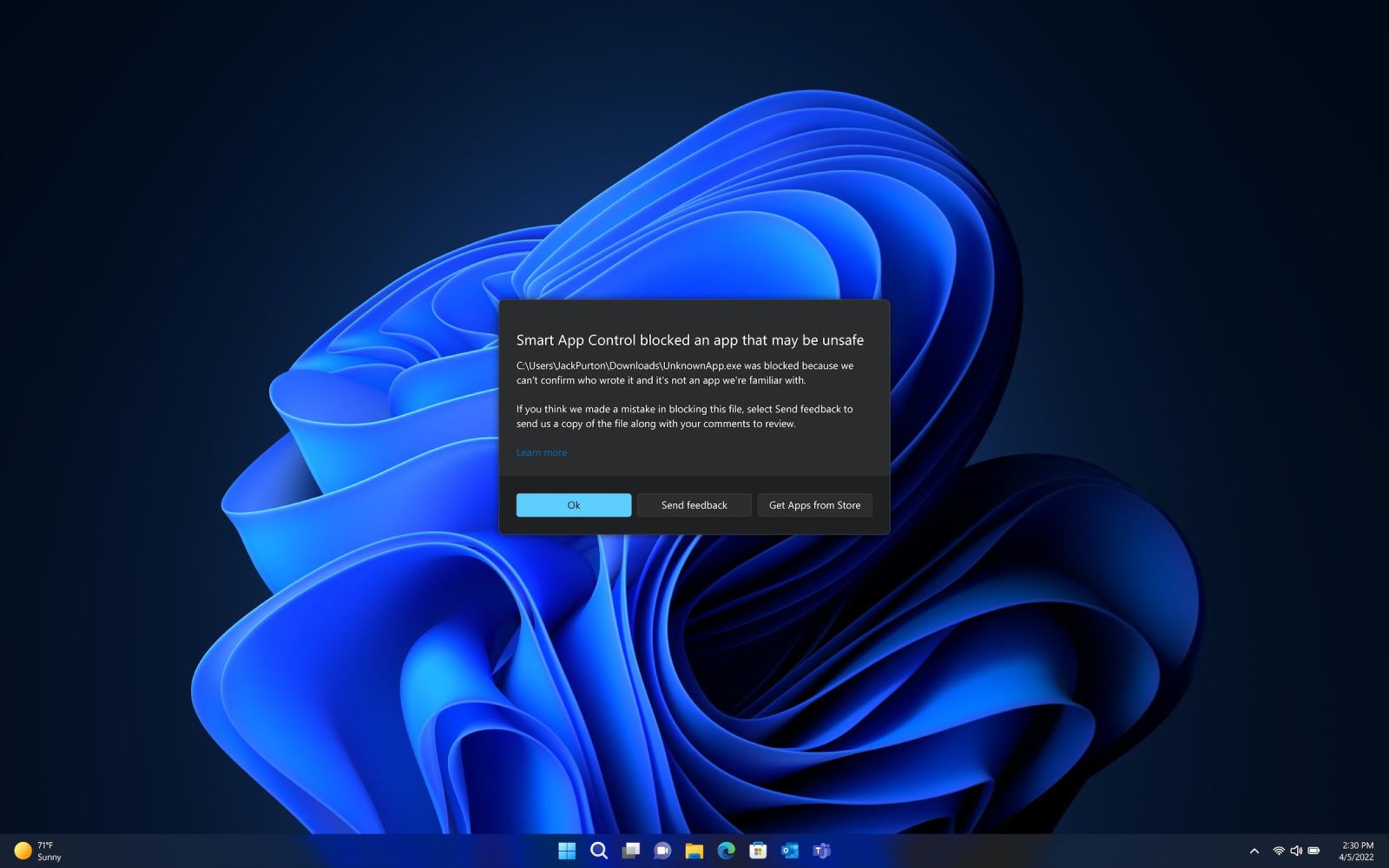
Windows 11 2022 Update wouldn't be a real Windows update without some security improvements. Microsoft is introducing Smart App Control in this latest update, which is a new feature designed to block scripted attacks or untrusted apps from launching. However, you will need to clean install Windows 11 to get this particular feature, as Microsoft wants to make sure that there are no untrusted apps running on the device before the feature is enabled.
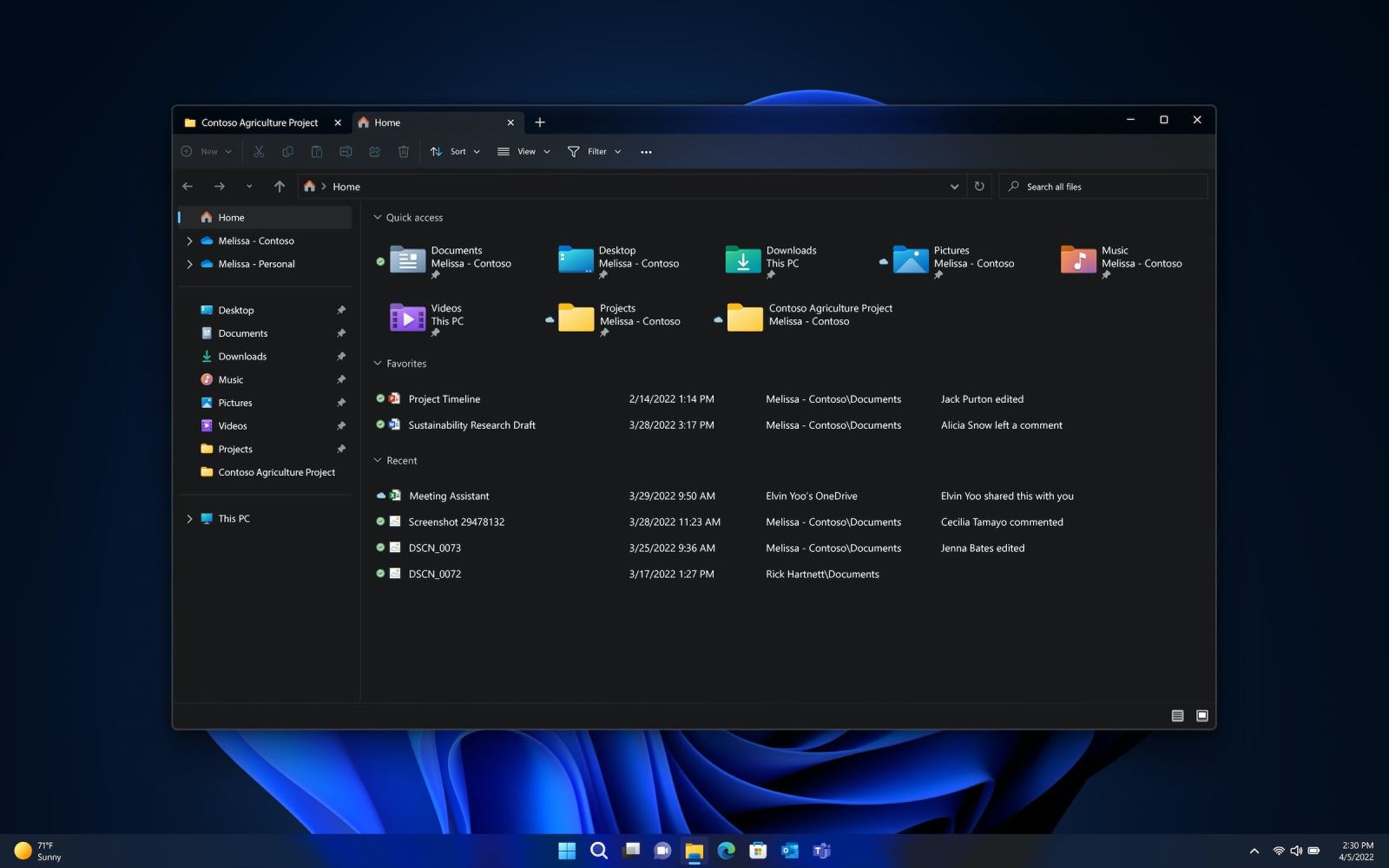
The naming of Windows 11 2022 Update implies that this is the last update for 2022, but many more features are also being rolled out before the end of the year. File Explorer will receive tabs in October, a highly requested feature that will include a new home page in File Explorer with quick access to favorite and recent files.
An update to the Photos app is also coming next month, with a new photo management user interface that includes a gallery, better browsing, and the ability to easily back up photos to OneDrive cloud storage. The taskbar will also receive an additional menu in October, along with a new suggested actions feature that provides suggested actions when you copy a phone number, date, and more.
However, not all Windows 11 2022 Update changes are welcome. Microsoft now requires an internet connection during initial device setup for the Pro version, and if you're using the device for personal use, a Microsoft account will also be required for setup.
Microsoft is currently testing and testing more Windows 11 features through the Windows Insider program as the company works to incubate new concepts and ideas. "We've started thinking about how we can rely on and trust the Windows Insider program more," said Windows Insider director Amanda Langowski. That means sharing code or ideas early before they are fully developed.”
These experiments will now shape the future of Windows 11 and the updates we'll all get to experience next year and beyond. Until then, Windows 11 2022 Update will really make the operating system worth the upgrade.
Windows 11 remains the same familiar Windows we've had for decades, but Windows 11 2022 Update gives it more modern features that most Windows users will really enjoy.
Source: https://www.theverge.com