- Training
- Service
- Promotion
- Schedule
- Testing Center
- News
- Contact



What is Power BI Copilot?
Power BI Copilot is an advanced feature of Microsoft Power BI that uses artificial intelligence to enhance data analysis and make it more accessible and efficient. It acts as an intelligent assistant and helps users navigate through complex data, interpret patterns, and generate insights.
With Copilot, you can:
Some of its key features include:
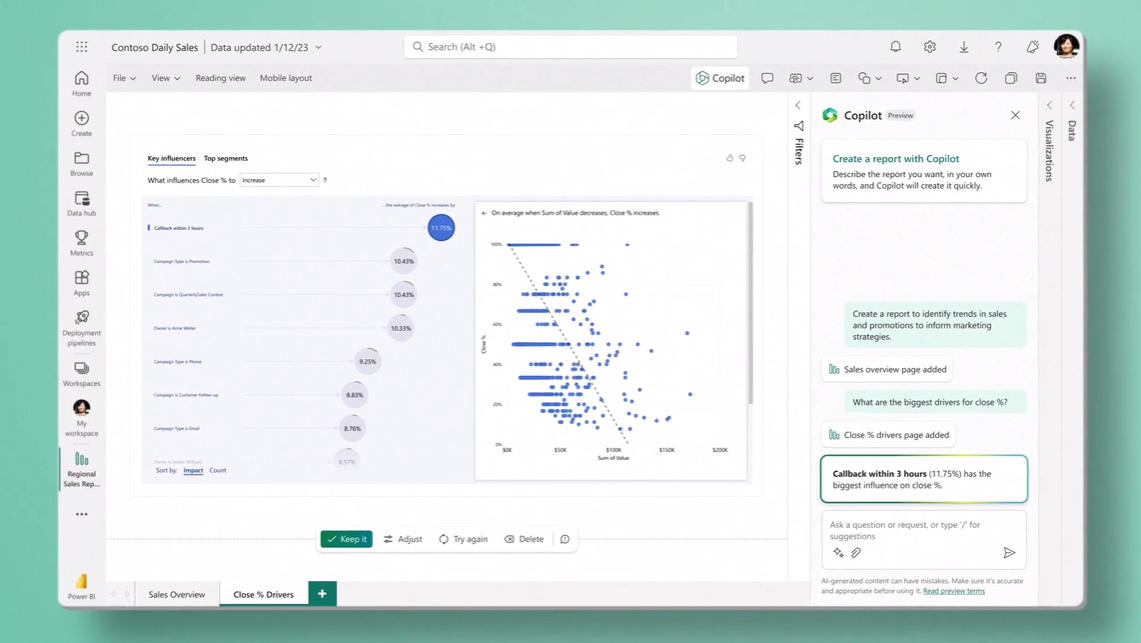
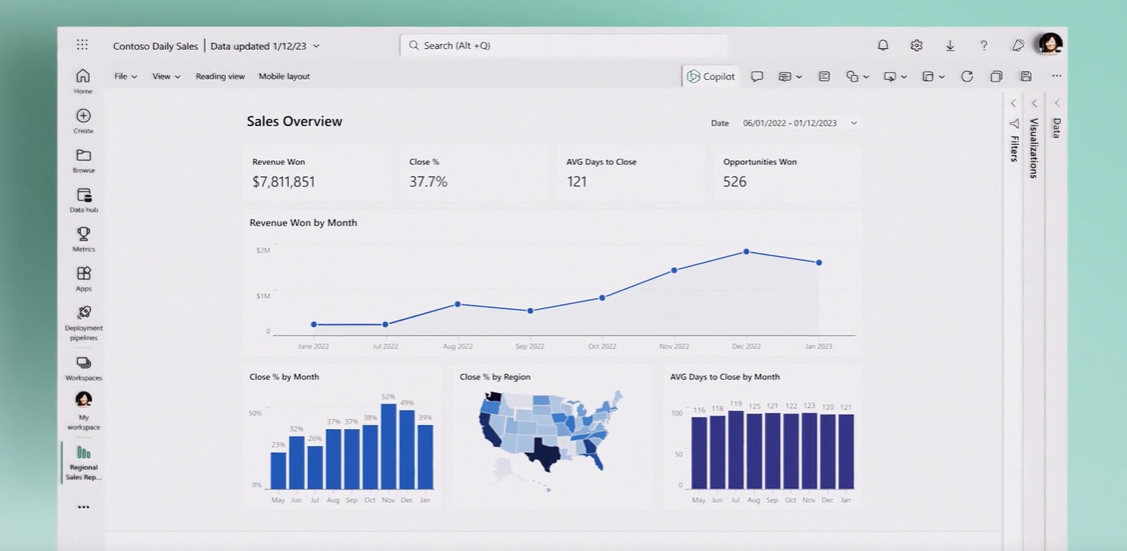
Some benefits include:
Using Power BI Copilot’s features in your production environments will enable you to uncover meaningful insights from your data more efficiently and make well-informed decisions for your organization.
Step 1: Open Power BI.
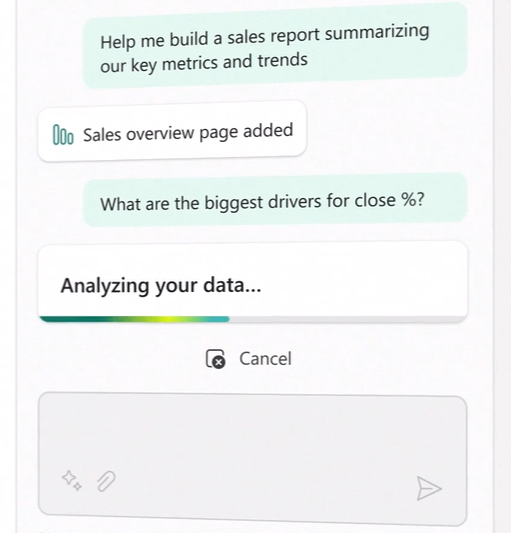
Step 2: Type a question about your data into the Copilot tab on the screen. For example, you can request it to create a financial report or choose from the selection of ideas that Copilot has automatically generated for you.
Step 3: Sit back and relax as Copilot sifts through your data and analyzes it to find the answers you're looking for.
Step 4: Copilot goes the extra mile and pulls together a visually stunning report, effectively translating complex data into readily understandable, and actionable insights.
Step 5: Dive even further into your data by asking questions, creating summaries to share with stakeholders, and more.
[Note: For now, Copilot in Power BI is currently in private preview].
Source: Microsoft