Microsoft Ignite Fall 2021: Innovations coming to Microsoft Teams
11/4/2021
Microsoft were excited to unveil the latest innovations coming to Microsoft Teams that enable you to connect, collaborate and stay in the flow of work with full context. This post provides details for all the upcoming Teams features and solutions announced at Microsoft Ignite.
New immersive meetings with Mesh for Microsoft Teams
Mesh for Microsoft Teams introduces a new generation of 2D and 3D meeting experiences with personalized avatars and immersive spaces to bridge the gap between physical and digital worlds. With personalized avatars, you can feel presence in meetings without turning on cameras. Users can make conversations interactive and express themselves using live reactions through avatars. Organizations now can use immersive spaces that resemble physical spaces, such as conference rooms, design centers and networking lounges to enhance camaraderie, spark creativity and foster water-cooler connections. Users can seamlessly leverage their existing documents, presentations, and content from Microsoft 365 and share and collaborate using this content spatially. Mesh enabled experiences in Teams provide users more flexibility and choice in how they connect, create, and collaborate. These experiences will be available in preview as part of Teams on PC, mobile and through mixed-reality headsets in the first half of 2022.
.gif)
Teams client showing a Mesh for Microsoft Teams immersive space. The immersive space is filled with avatars that are connecting and collaborating.

Mesh for Microsoft Teams avatars are displayed on screen, each showing different outfits, customizations, and expressions.
New user experience features in Microsoft Teams meetings
We are bringing new updates to the Teams meeting experience to foster more inclusive and productive hybrid meetings. All updates will be available in early 2022.
- Help your team set expectations before the meeting kicks off by assigning roles from the scheduling form, allowing participants to feel prepared. Also, you can ensure that all voices are heard by seeing the order of raised hands in a meeting.
- It’s clear that multitasking is hard and, in turn, is creating meeting fatigue. Through mute notifications and pin or hide your own video features, Teams can better help you focus on your goals.
- As mobile device use is becoming more prevalent in meetings, Teams looks to ensure that everyone can participate on a level playing field. We're revamping the overflow menu to prioritize key actions like viewing chat. Also, we're adding a notification drawer for in-meeting system messages, so users can preview, collapse and clear all notifications with one tap.

New updates to the meetings experience include ordering raised hands, a mobile overflow menu, hiding your own video, and assigning roles in scheduling form.
New webinar and broadcasting capabilities
New webinar and broadcasting capabilities in Microsoft Teams make it easy to set up and deliver professional, engaging experiences to internal and external audiences. The new capabilities include:
- A virtual green room enables organizers and presenters to socialize, monitor chat and Q&A, manage attendee settings and share content before the event starts. This provides a private space, separate from attendees, to talk live and prep in the pre-live phase. While attendees wait, they are greeted with a welcome screen, and they can use chat to engage or pose questions with the Q&A experience. This feature will be available in preview in early 2022.
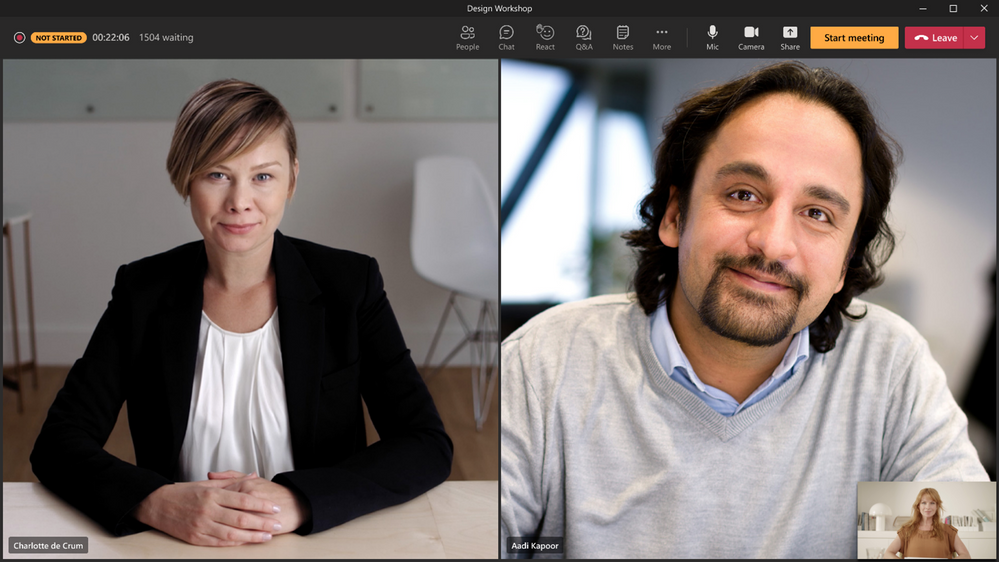
A virtual green room in Teams before an event starts, providing a space for organizers and presenters to prepare.
- Enable organizers and presenters to manage what attendees see, and easily minimize distractions and keep the audience engaged during an event. This ensures that attendees will only see shared content and participants that are brought on screen. This feature will be available in preview in early 2022.
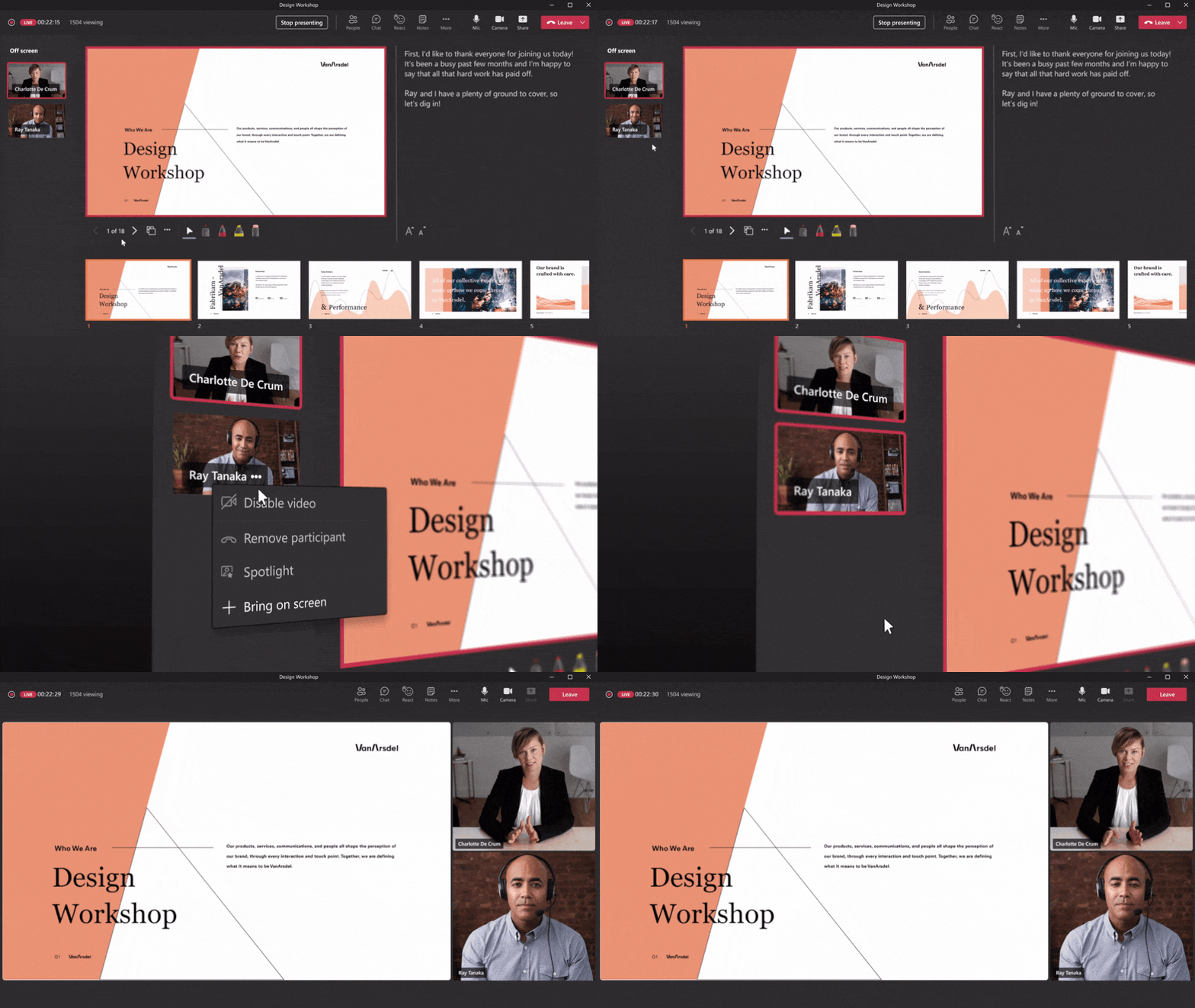
Choose which shared content and participants are brought on screen by managing what attendees see during an event.
- The co-organizer feature enables you to assign up to 10 co-organizers for webinars and meetings. The co-organizer will have the same capabilities and permissions as the organizer, enabling them to do multiple tasks such as manage meeting options, create polls, and control audio settings. To assign co-organizers, select meeting options, find ‘Choose co-organizer’, and specify which participants from the meeting invite should be designated as a co-organizer. This feature will be available by the end of the year.
- The new Q&A experience enables more structure for both open and moderated meetings and webinars. Organizers and presenters can mark best answers, filter responses, moderate and dismiss questions, and pin posts such as a welcome message. To enable Q&A, simply add the app during the scheduling process, by selecting the ‘+’ to add a tab in the invite and adding Q&A. The Q&A experience for webinars and meetings will be available in public preview in November.
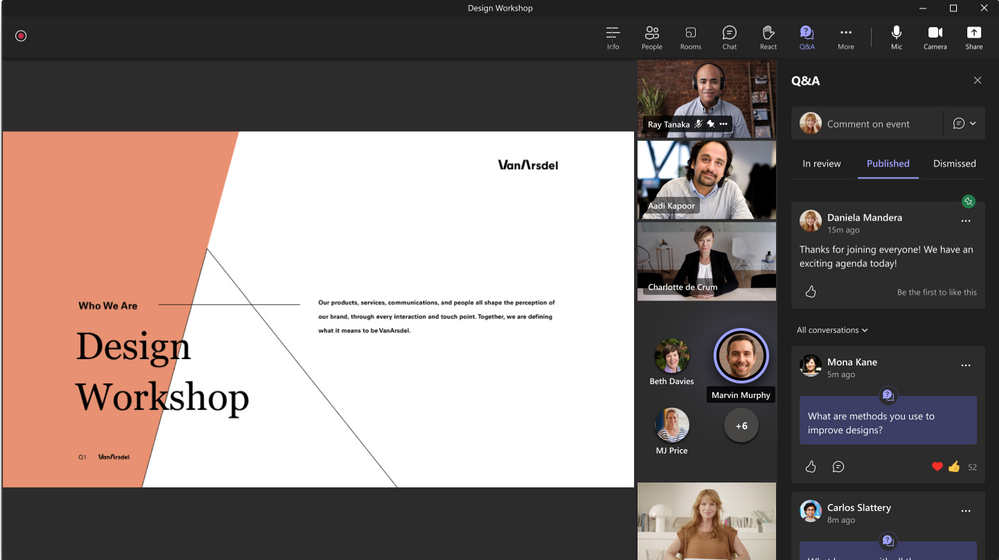
The new Q&A experience in Teams is more structured and allows for posts to be pinned.
- Broadcasters will be able to create a high quality, clean audio mix with our new isolated audio feed capabilities in Microsoft Teams. As broadcasters use NDI or hardware-out, they will be able to get the isolated audio feed along with the isolated video feed from any Teams meeting. Now with isolated audio, broadcasters will have full control of both the audio and video feeds going into their studio. This capability is enabled within the meeting settings. This feature will be available in preview in November.
- Leading events and hospitality management platform Cvent is now integrated with Teams. Starting in early 2022, customers can use Cvent to manage the event lifecycle including registration and agenda management, and to deliver the virtual meeting and event experience via Teams.
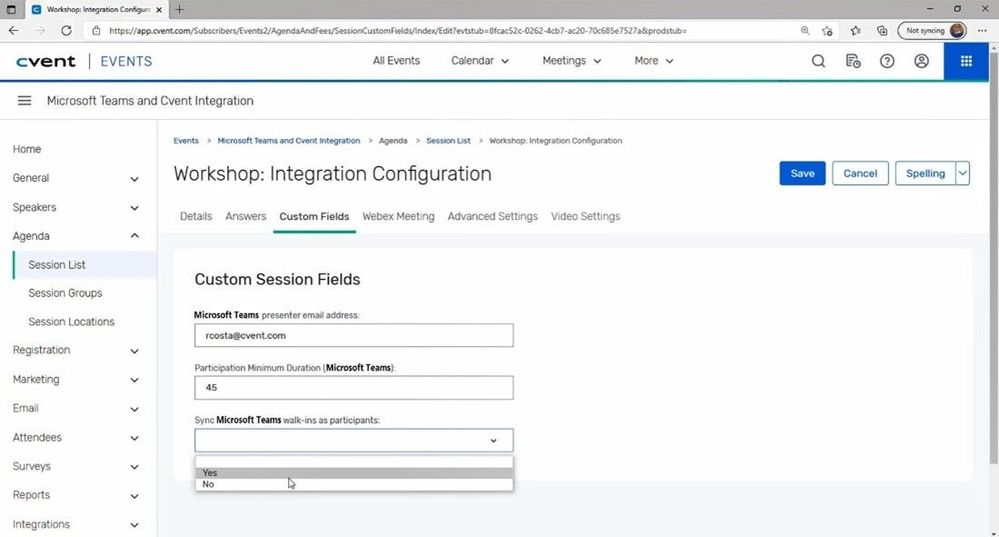
Cvents management platform integration with Teams.
Shared Channels and Chat with Teams
Microsoft Teams offers secure solutions to collaborate with external parties, and with Teams Connect we are making it even easier to work with anyone outside your organization, while giving system admins a range of controls and tools to ensure security. Teams Connect will be in public preview in the first quarter of 2022.
- Shared channels are a scalable boundaryless experience, which can be shared with individuals and teams across multiple organizations. With the new enhancements coming to the private preview, you will be able to schedule a meeting, collaborate in real-time on apps, and share channels with up to 50 teams and as many organizations as you need. Available in public preview in the first quarter of 2022.
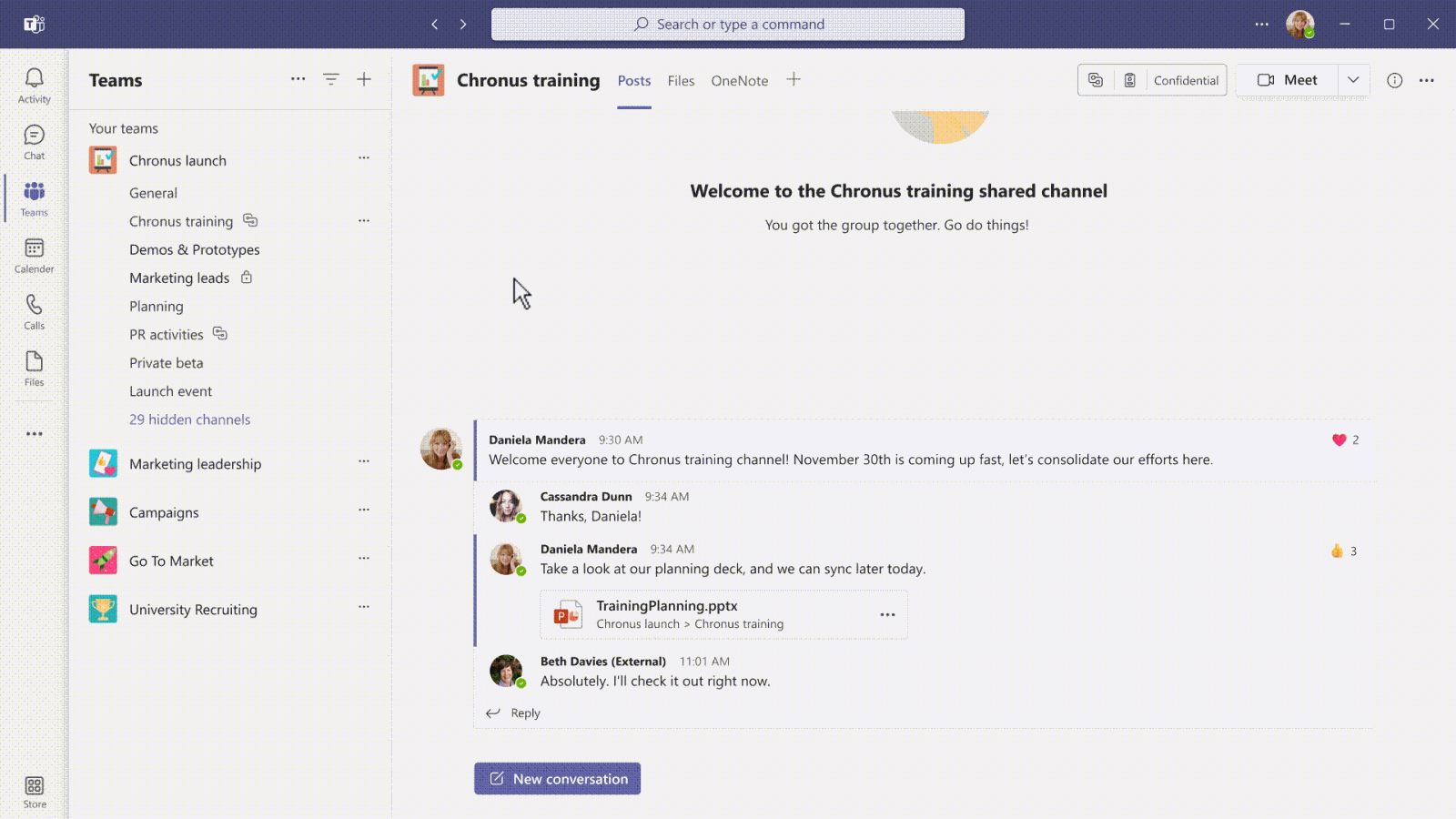
Shared channels in Teams can be shared with individuals and teams across multiple organizations.
- Teams will enable you to chat with team members with a Teams personal account who are outside your organization. You can invite any Teams user to chat using a personal email address or phone number and remain within the security and compliance policies of your organization. Available by the end of 2021.
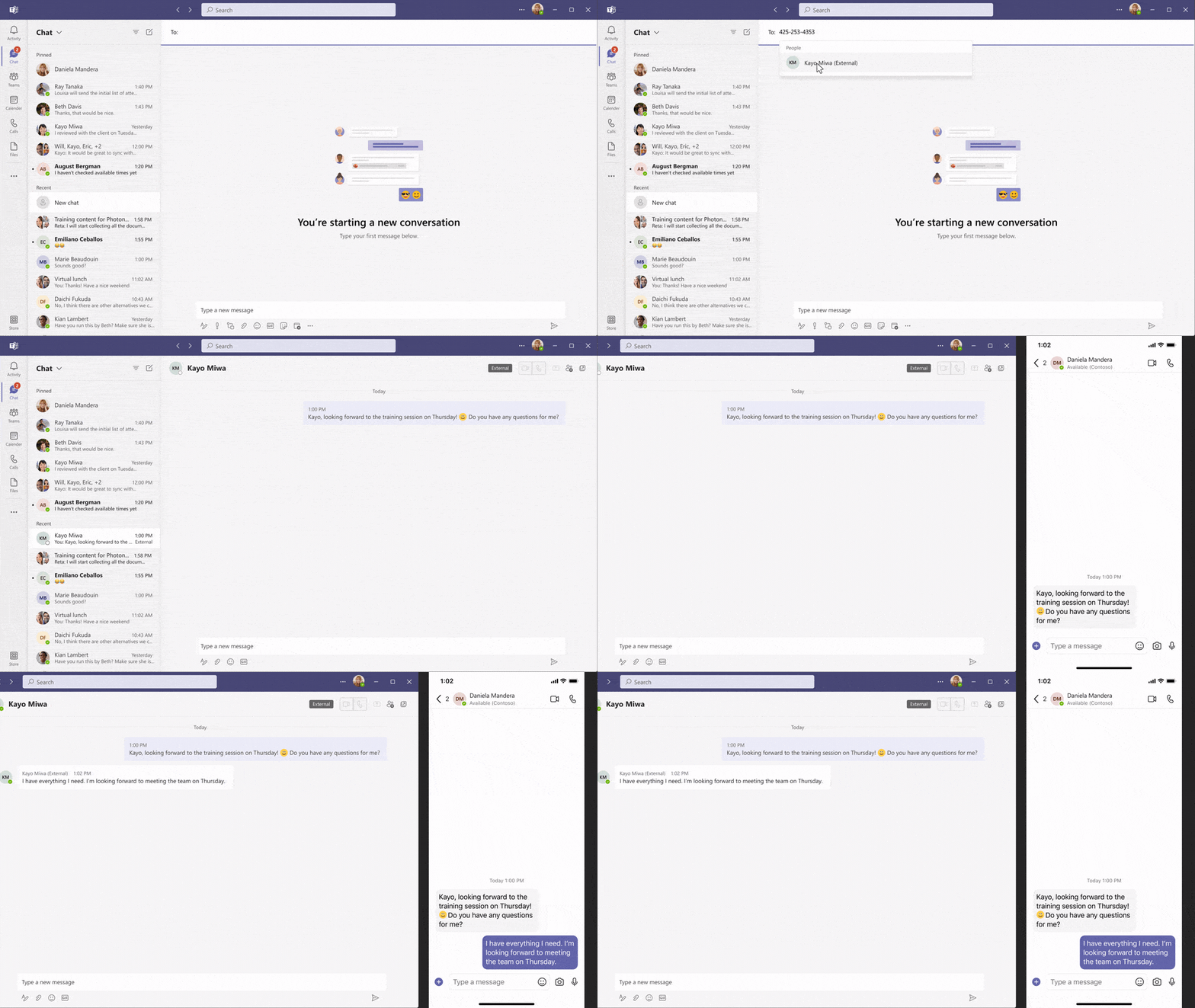
Teams invite using a personal phone number to initiate a chat with a Teams personal account outside your organization.
New chat, people and presence features
The hybrid workplace brings a lot of flexibility, but it can also create new challenges, like getting your personality to shine in the virtual environment, maintaining work-life balance, and being productive. These new asynchronous capabilities will be rolling out between now and early 2022.
- Chat with self is a safe place for writing drafts, such as quick ideas and reminders on mobile – helping you stay organized and avoid sending incomplete messages accidentally.
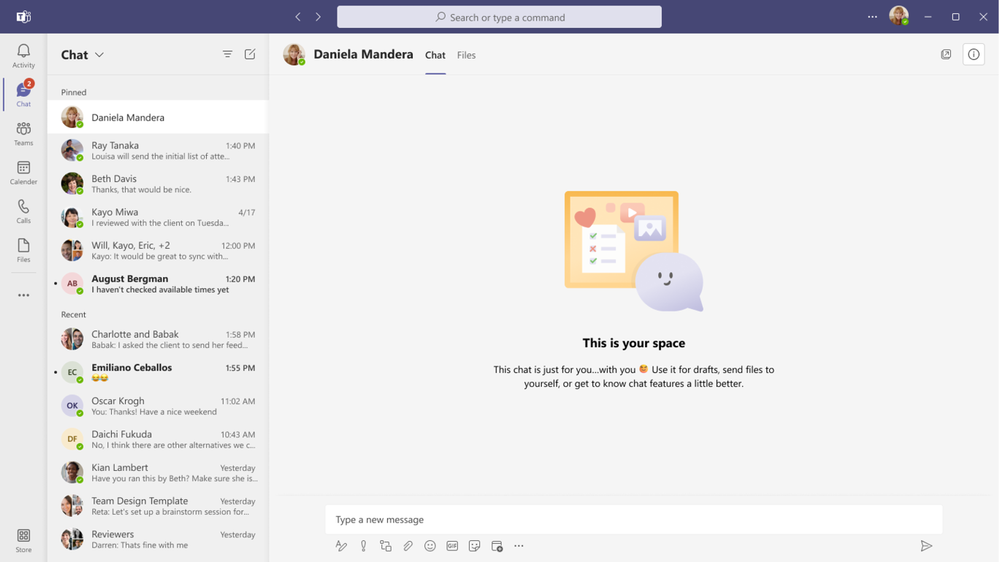
Creating a chat with self in Teams for writing drafts and leaving reminders.
- Chat density feature lets you customize the number of chat messages you see on the screen with different settings. Compact setting lets you minimize the need to scroll up and down by fitting 50% more messages on the screen. Comfortable setting keeps the chat display as it is in Teams today.
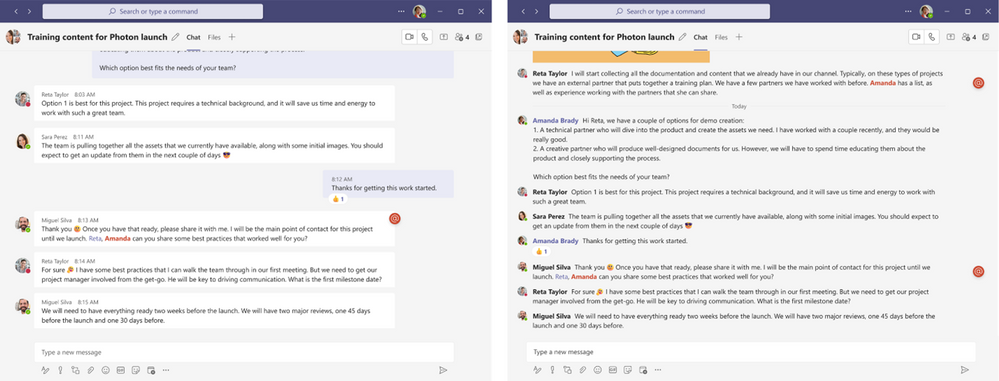
Switch to the new compact settings to see 50% more messages on my screen.
- To help you express yourself more authentically, you can add reactions to messages from over 800 new 3D emojis, up from six currently available.
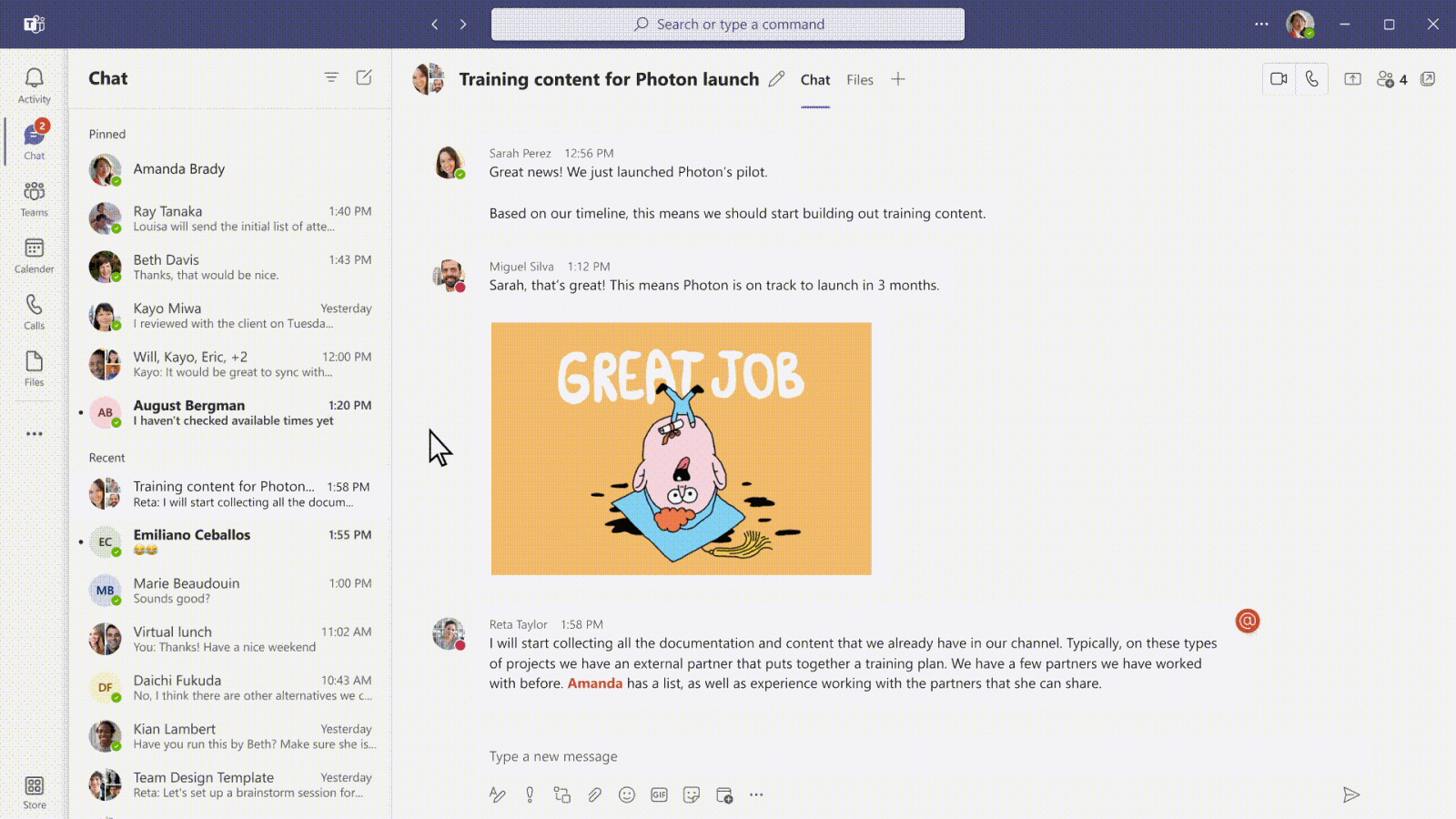
Reaction to comments in Teams now include over 800 new 3D emojis.
- Delay delivery of messages enables you to select a specific time to send a message. Like delay delivery in outlook, you will be able to send out chat message in a time that is convenient to you, and the message will arrive to its destination at the time you scheduled.
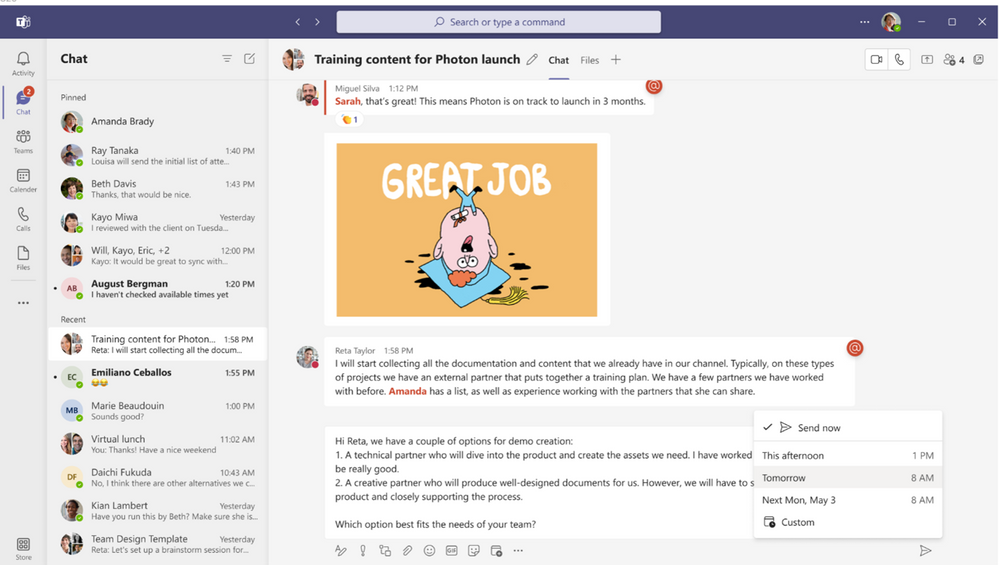
Schedule a specific time to send a message in Teams.
- We often work in distributed teams. To help you with scheduling messages, quickly check your colleague’s time zone, right from their contact card, enabling you to time your messages to get faster responses, while being considerate of your colleagues’ schedule.
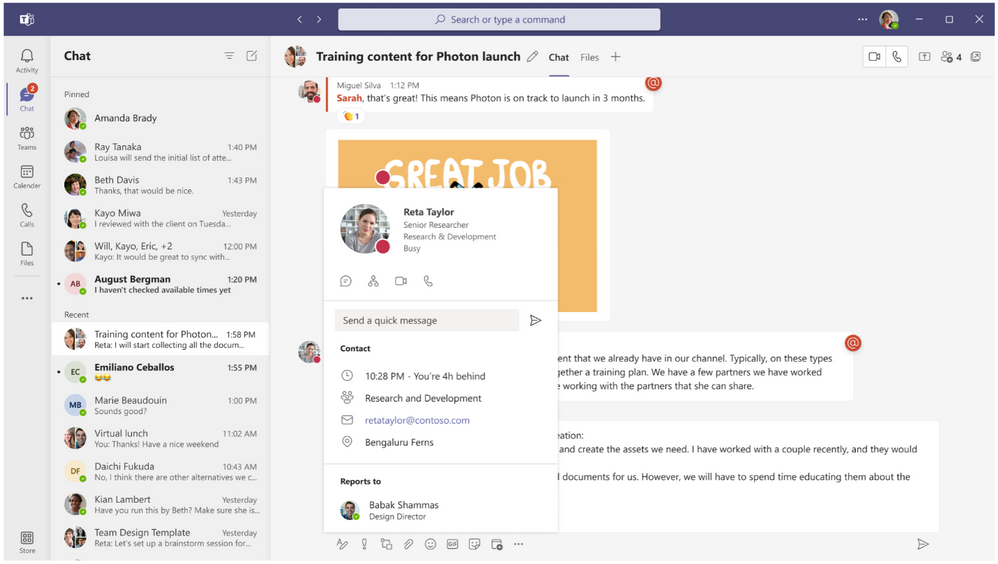
A user’s time zone can be found on their contact card in Teams.
- Stay on top of your information using the new search results UI in Teams. Filter results and toggle between tabs to find the information you need.

New search results interface in Teams allows users to filter results and switch between tabs.
Platform enhancements and new collaborative apps
As the world shifts to hybrid work, we need full context of the tasks at hand to stay in the flow of work. Microsoft Teams enables customers to bring their favorite apps into the flow of their work and gives developers the ability to build collaborative apps right within your digital workspace – in chat, channels, and meetings, or even bring Teams collaborative experience into other applications. Three new ways collaborative apps are surfacing include:
Dynamics 365 + Teams integration: To navigate the hybrid workplace, we need solutions that bring people, processes, and insights. New capabilities across Dynamics 365 and Teams are changing the way we work and collaborate.
- Accessible business data: Access to information can become an impediment and slow down how organizations can support customers. Dynamics 365 and Teams help organizations bring networks closer so those closest to issues can access the people and information needed to spur innovation and solve problems. Organizations will be able to quickly find results from business data across Microsoft Search (private preview in 2022); unfurl that data into actionable cards (Loop components) across Outlook and Teams (public preview in 2022); and search valuable business data inline while writing by using editor (public preview in 2022).
- Increased collaboration: Sales teams need access to experts across the organization to build proposals address customer needs. Now, teams can invite anyone across the company to collaborate on Dynamics 365 sales records within the flow of a Teams chat or channel. Other collaborative updates include the ability to have a “chat now” pop out from anywhere in Dynamics 365; and inbound/outbound digital voice with Teams, featuring conversational intelligence. Available for public preview in Q1 2022.
- Real-time engagement: Organizations can see who is working with them in the flow of work with live co-presence throughout Dynamics apps. In addition, users can have all the information available on people they are collaborating with and how to engage with them via calls, chats or meetings. Now available for preview in Dynamics 365 Marketing, Sales, Customer Service, and Field Service.
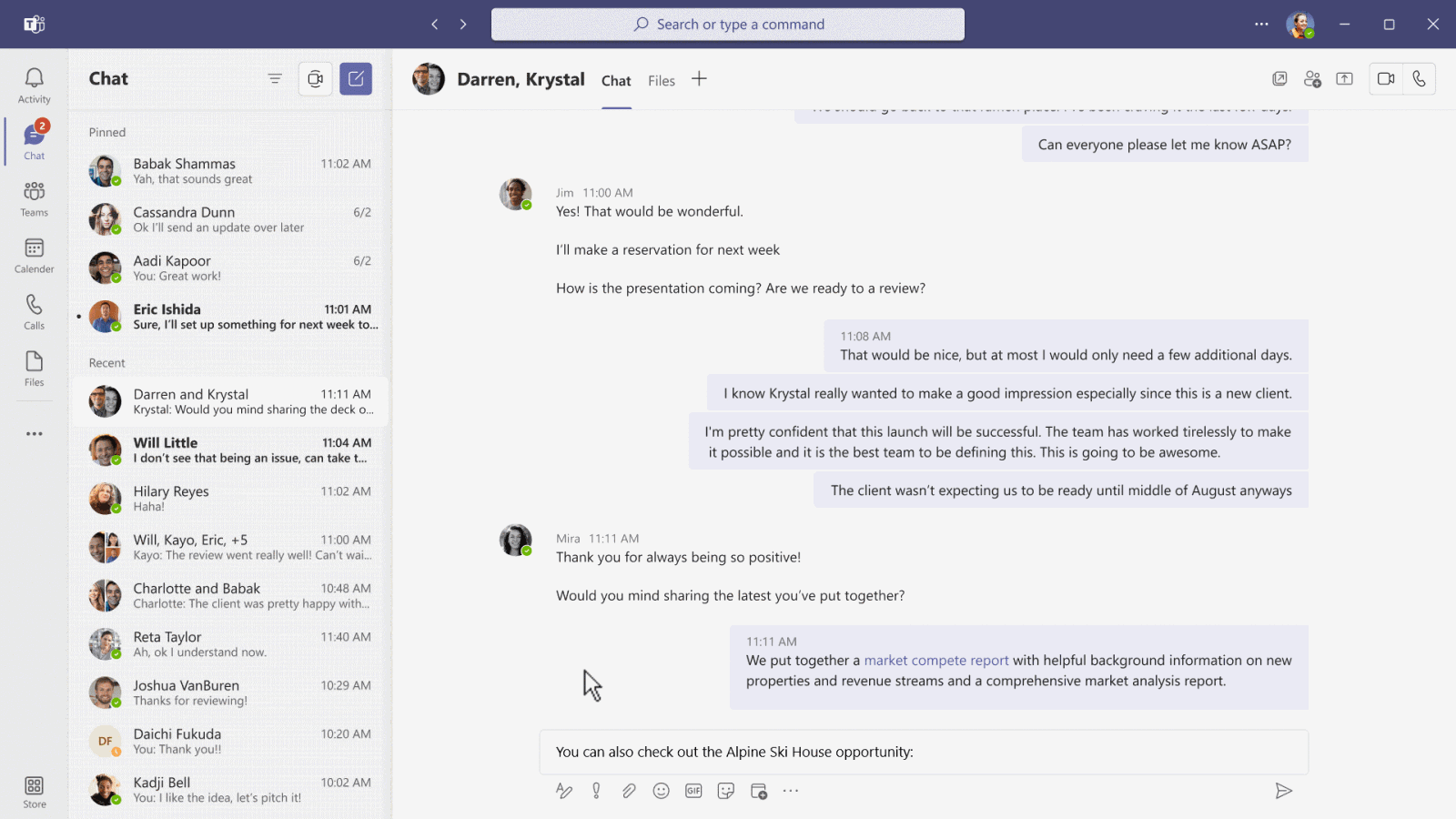
New capabilities across Dynamics 365 and Teams brings new valuable insights and processes to users.
Azure Communication Services Teams Interoperability, which allows you to extend the meetings experience into other apps and processes will be available on December 1.
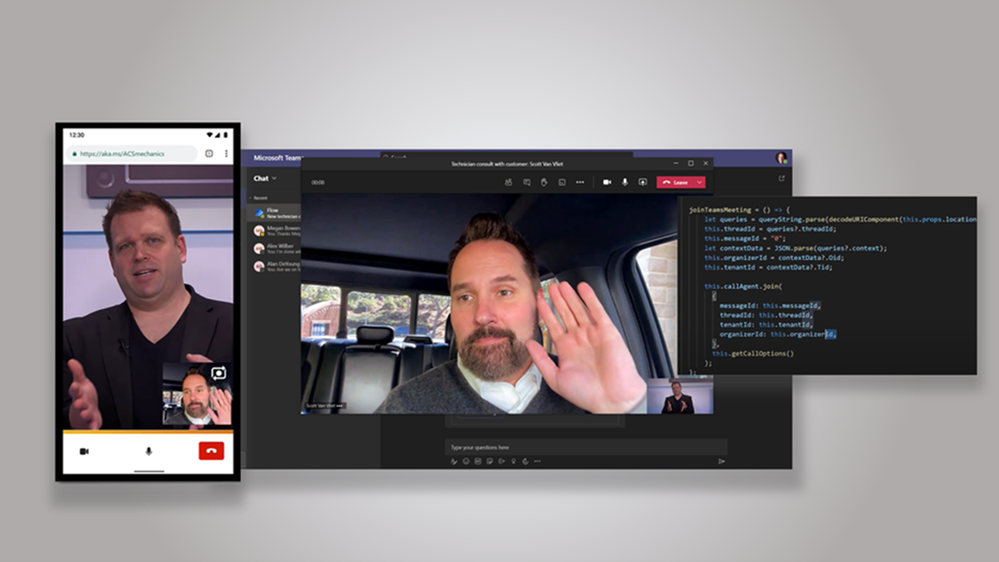
The Teams meetings experience extended into other apps and processes.
Teams + Power Platform: With low-code and no-code applications from Power Platform you can create collaborative apps for your organization and seamlessly distribute them in Teams. Here are some of the newest enhancements to the Power Platform to empower anyone to create a Teams App:
- New features now available for Power Virtual Agents allow you to create more robust chatbots that can proactively message users based on pre-set conditions or answers, and support group interactions in channel conversations.
- Application creators will soon be able to embed Teams chat experiences into custom business applications built with Power Apps. In the coming months, this connectivity with Power Apps will allow you to bring the collaboration experience your end users use every day into your custom line of business applications.
- Finally, the Power BI app for Teams is generally available to help you build a more data-driven workplace.
Partner collaborative apps
Atlassian’s Jira Cloud is available now and makes project management and issue tracking viewable across common Teams functions like chat, channel tabs, and directly within meetings. Product ideas, feature requests and tickets can be updated right within Teams thanks to new Jira integrations.
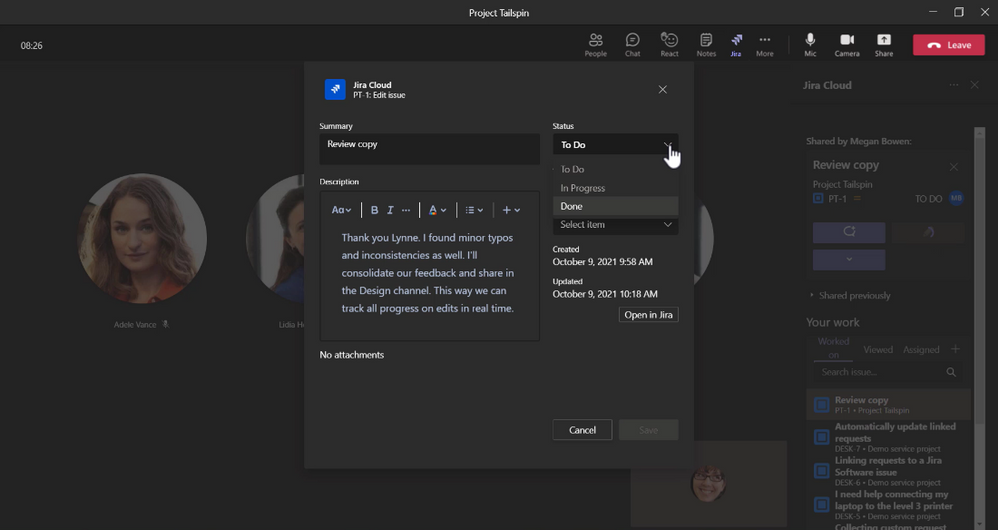
Atlassian’s Jira Cloud integration in Teams.
SAP Sales & Service Core in Teams available now helps simplify hybrid sales processes, enabling you to keep your focus where it belongs -- on customers. In Teams, you can set up meetings from SAP without switching applications. When talking to customers, relevant insights and context can be seen right in Teams. All context, including meeting recordings and notes will get automatically synced back to SAP Sales Cloud in real-time.
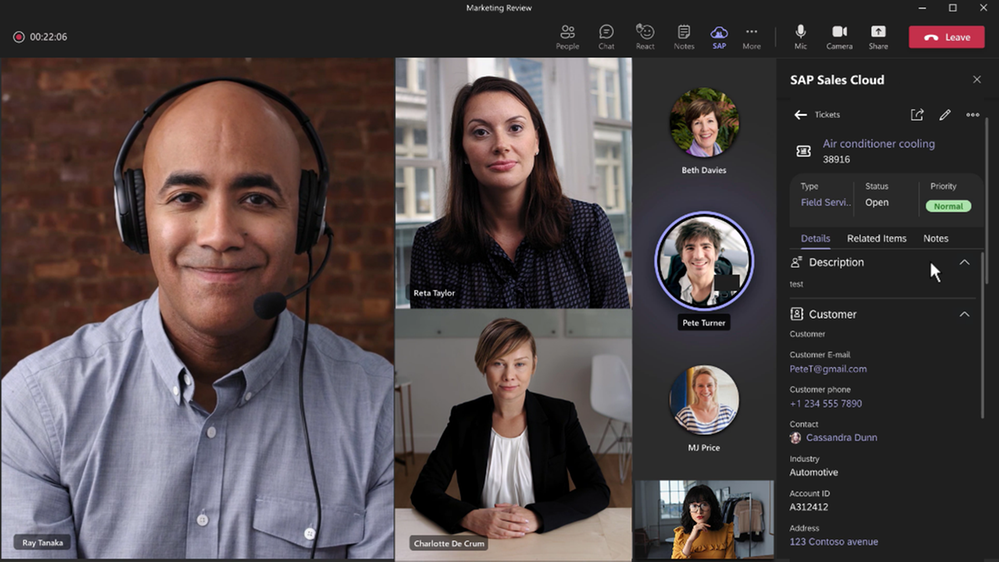
SAP Sales & Service Core integration in Teams.
Additionally, the redesigned Teams App Store makes finding the right app simple and streamlined. Coming later this month, you will find an updated layout and experience for finding apps in Teams. Improved categorizations, intelligent app recommendations, and curated guides and articles make it easier for users to discover and acquire apps.
Redesigned Teams App Store has improved categorizations, app recommendations, and curated guides.
Source: techcommunity.microsoft.com