- Training
- Service
- Promotion
- Schedule
- Testing Center
- News
- Contact


Introducing Windows 11
At a time when the PC is playing a more central role in our lives, Windows 11 is designed to bring you closer to what you love.
Redesigned for productivity, creativity and ease
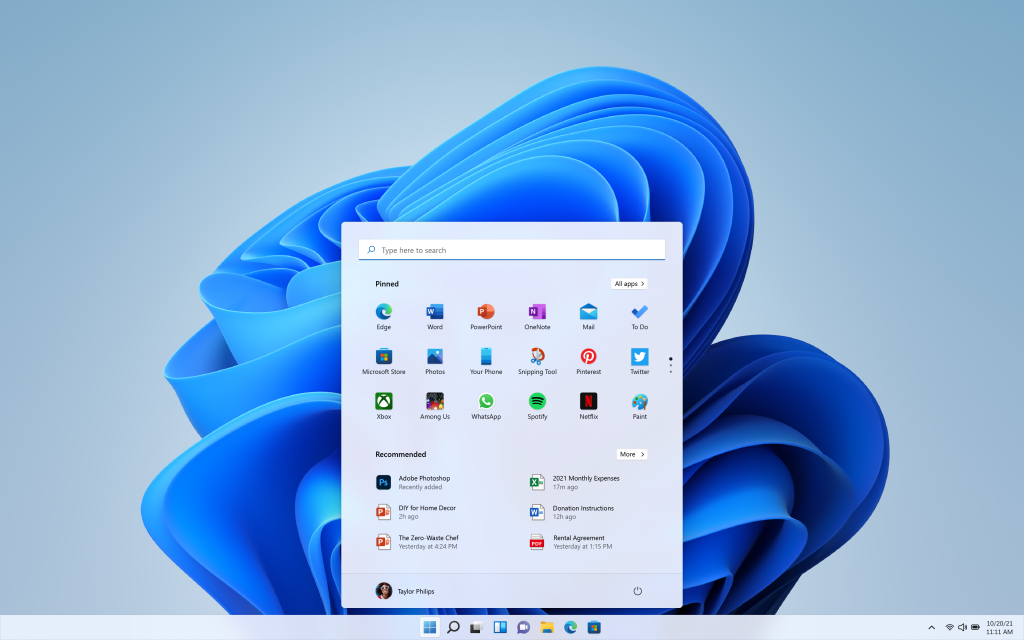
We’ve simplified the design and user experience to empower your productivity and inspire your creativity. It’s modern, fresh, clean and beautiful. From the new Start button and taskbar to each sound, font and icon, everything was done intentionally to put you in control and bring a sense of calm and ease. We put Start at the center and made it easier to quickly find what you need. Start utilizes the power of the cloud and Microsoft 365 to show you your recent files no matter what platform or device you were viewing them on earlier, even if it was on an Android or iOS device.
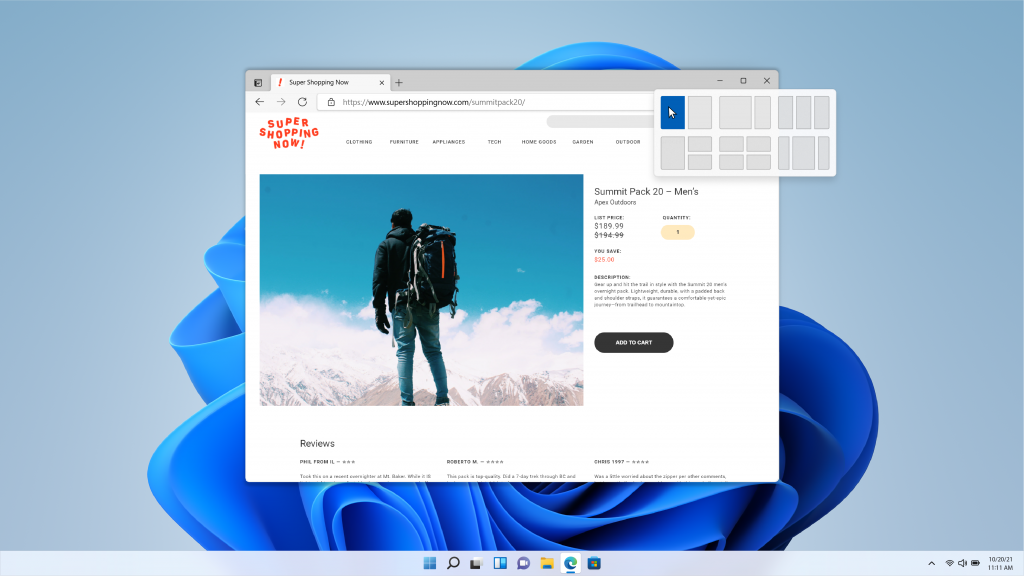
Windows has always been about helping you work how you want, by offering flexibility of multiple windows and the ability to snap apps side by side. New in Windows 11, we’re introducing Snap Layouts, Snap Groups and Desktops to provide an even more powerful way to multitask and stay on top of what you need to get done. These are new features designed to help you organize your windows and optimize your screen real estate so you can see what you need just the way you want in a layout that’s visually clean. You can also create separate Desktops for each part of your life and customize them to your liking – imagine having a Desktop for work, gaming or school.
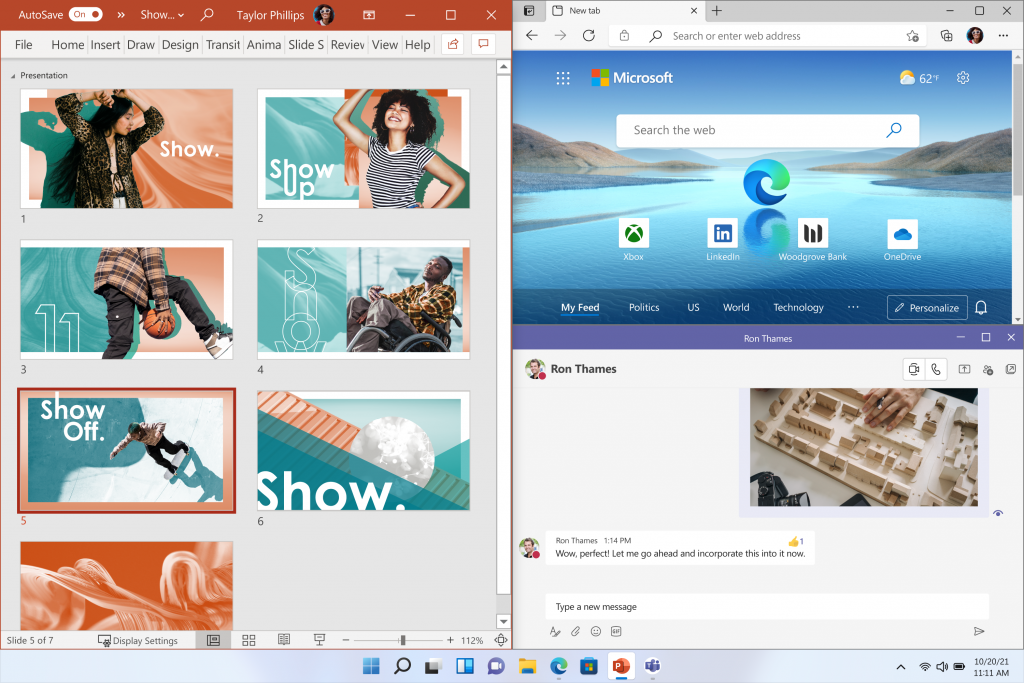
Windows 11 cuts through complexity and brings you simplicity.
A faster way to connect to the people you care about
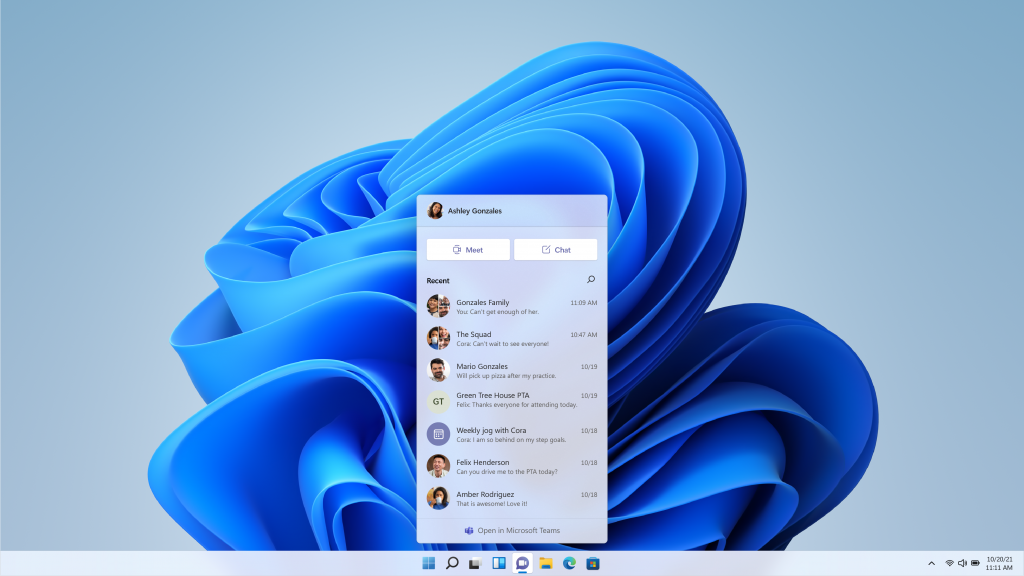
With Windows 11, we’re excited to introduce Chat from Microsoft Teams integrated in the taskbar. Now you can instantly connect through text, chat, voice or video with all of your personal contacts, anywhere, no matter the platform or device they’re on, across Windows, Android or iOS. If the person you’re connecting to on the other end hasn’t downloaded the Teams app, you can still connect with them via two-way SMS.
Windows 11 also gives you a more natural way to connect with friends and family through Teams, allowing you to instantly mute and unmute, or start presenting directly from the taskbar.
Delivering the best PC gaming experiences yet
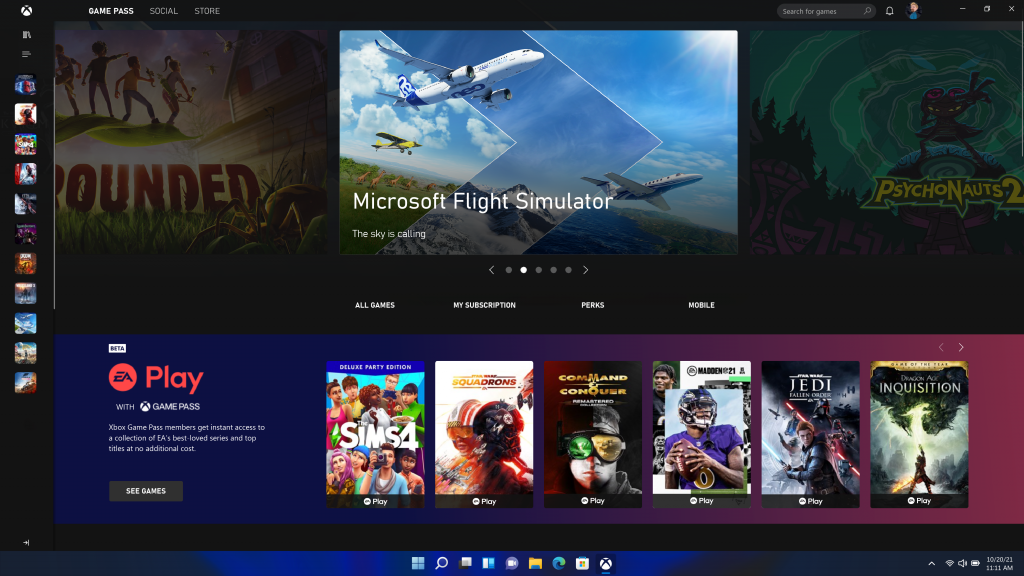
If you’re a gamer, Windows 11 is made for you. Gaming has always been fundamental to what Windows is all about. Today, hundreds of millions of people around the world game on Windows and find joy and connection with loved ones and friends through play. Windows 11 unlocks the full potential of your system’s hardware, putting some of the latest gaming technology to work for you. Like: DirectX 12 Ultimate, which can enable breathtaking, immersive graphics at high frame rates; DirectStorage for faster load times and more detailed game worlds; and Auto HDR for a wider, more vivid range of colors for a truly captivating visual experience. Nothing has changed in our commitment to hardware compatibility – Windows 11 supports your favorite PC gaming accessories and peripherals. With Xbox Game Pass for PC or Ultimate, gamers get access to over 100 high-quality PC games with new games added all the time, and it’s still just as easy to find people to play with, no matter if they’re playing on a PC or console.
A faster way to get the information you care about
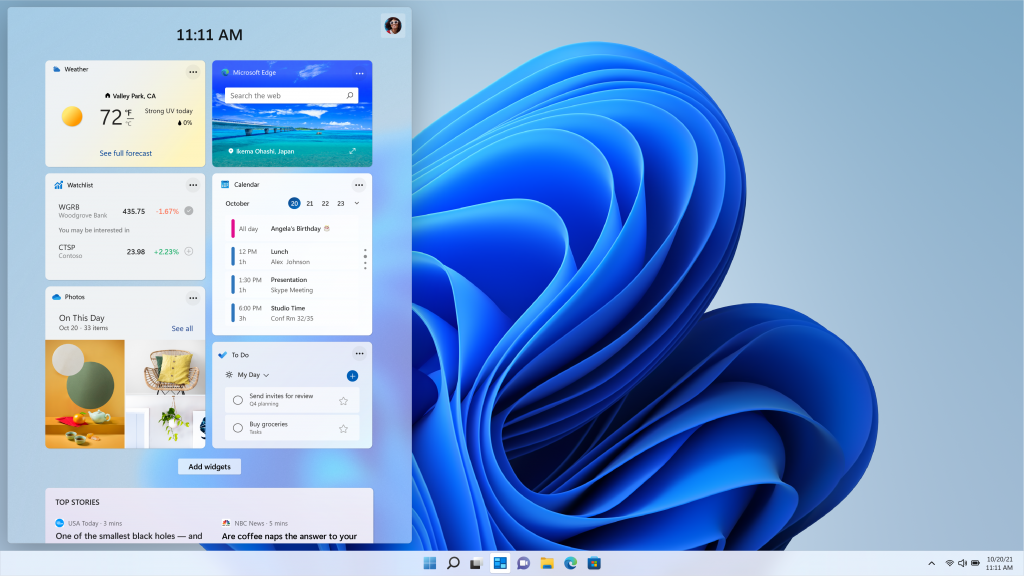
Windows 11 brings you closer to the news and information you care about faster with Widgets – a new personalized feed powered by AI and best-in-class browser performance from Microsoft Edge. Even when we’re at our most focused and creative we still need breaks – a moment to check in with the outside world or give ourselves a mental reset. Today, we often pick up our phones to check the news, weather or notifications. Now, you can open a similarly curated view directly from your desktop. When you open your personalized feed it slides across your screen like a sheet of glass so it doesn’t disrupt what you’re doing. For creators and publishers, Widgets also opens new real estate within Windows to deliver personalized content. Our aspiration is to create a vibrant pipeline for global brands and local creators alike, in a way that both consumers and creators can benefit.
An all-new Microsoft Store where your favorite apps and entertainment come together
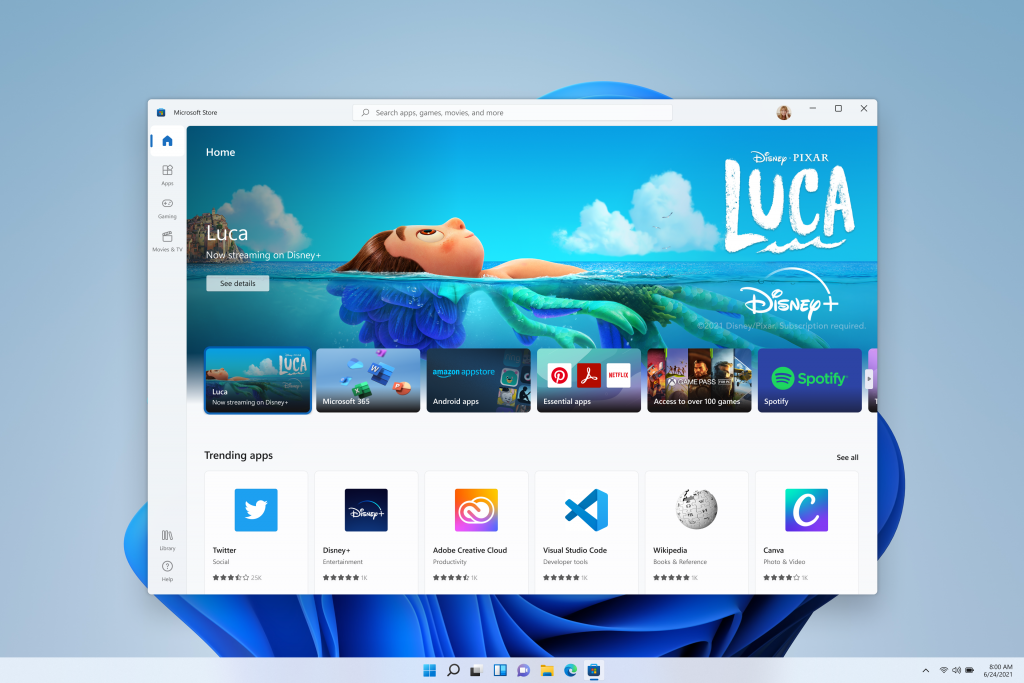
The new Microsoft Store is your single trusted location for apps and content to watch, create, play, work and learn. It’s been rebuilt for speed and with an all-new design that is beautiful and simple to use. Not only will we bring you more apps than ever before, we’re also making all content – apps, games, shows, movies – easier to search for and discover with curated stories and collections. We’re excited to soon be welcoming leading first and third-party apps like Microsoft Teams, Visual Studio, Disney+, Adobe Creative Cloud, Zoom and Canva to the Microsoft Store – all offering incredible experiences to entertain, inspire and connect you. When you download an app from the Store you have the peace of mind of knowing it’s been tested for security and family safety.
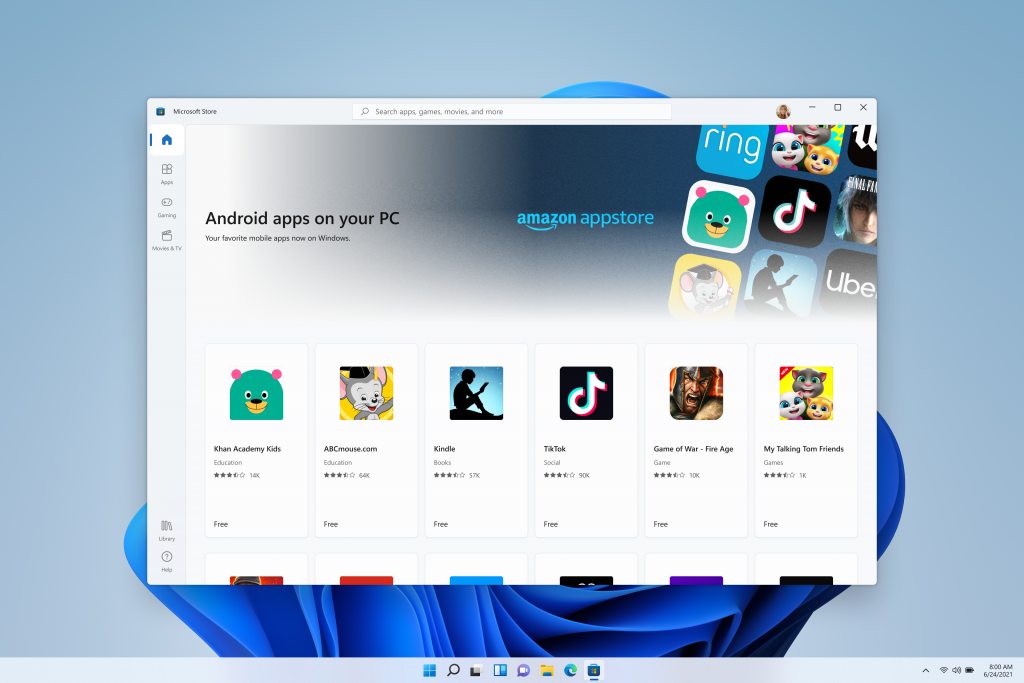
We’re also pumped to announce that we are bringing Android apps to Windows for the first time. Starting later this year, people will be able to discover Android apps in the Microsoft Store and download them through the Amazon Appstore – imagine recording and posting a video from TikTok or using Khan Academy Kids for virtual learning right from your PC. We’ll have more to share about this experience in the coming months. We look forward to this partnership with Amazon and Intel using their Intel Bridge technology.
Creating a more open ecosystem unlocking new opportunity for developers and creators
We are taking steps to further open the Microsoft Store to unlock greater economic opportunity for creators and developers. We’re enabling developers and independent software vendors (ISVs) to bring their apps regardless of whether they’re built as a Win32, Progressive Web App (PWA), or Universal Windows App (UWP) or any other app framework, creating an opportunity to reach and engage with more people. We’re also announcing a progressive change to our revenue share policies where app developers can now bring their own commerce into our Store and keep 100% of the revenue – Microsoft takes nothing. App developers can still use our commerce with competitive revenue share of 85/15. We believe creating a more open ecosystem ultimately benefits our customers – giving them secure, frictionless access to the apps, games, movies, shows and web content they want and need.
Faster, more secure and familiar for IT
For IT, Windows 11 is built on the consistent, compatible and familiar Windows 10 foundation you know. You’ll plan for, prepare and deploy Windows 11 just as you do today with Windows 10. Upgrading to Windows 11 will be like taking a Windows 10 update. The familiar management experiences you have in place today – like Microsoft Endpoint Manager, cloud configuration, Windows Update for Business and Autopilot – will support your environment of tomorrow as you integrate Windows 11 into your estate.
Just as with Windows 10, we are deeply committed to app compatibility, which is a core design tenet of Windows 11.
Windows 11 is also secure by design, with new built-in security technologies that will add protection from the chip to the cloud, while enabling productivity and new experiences. Windows 11 provides a Zero Trust-ready operating system to protect data and access across devices.
This is just the beginning!
Source: https://blogs.windows.com/