- Training
- Service
- Promotion
- Schedule
- Testing Center
- News
- Contact


I've worked from home in various roles for the last 10 years. This was both before and after we had kids, which presents its own challenges.
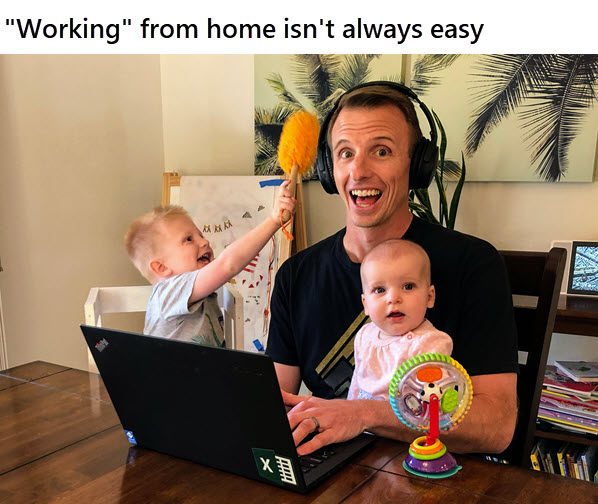
Overall, I've enjoyed it. The pros typically outweigh the cons for me. But that's not to say that working from home is easy.
So if you've found yourself suddenly working from home, this post will give you a few tips and strategies to think about. I also share a few tips from our Excel Campus team members, who all work remotely.
#1 Find a Private Space
Working from home introduces A LOT of distractions that can make you less productive.
One of the most important things in preserving my productivity is to work in a space that has minimal distractions. This can be a spare bedroom, basement, garage, or even a large closet. Yes, a closet.
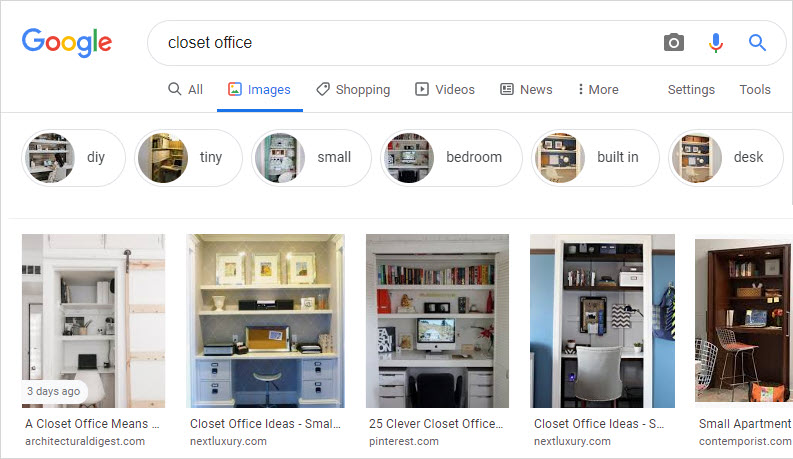
Finding privacy can be very challenging if you have a small living space. Especially if the kids are now home from school.
If you can't find a private space, a good set of noise-canceling headphones can help. I use the Bose QuietComfort headphones, which I really like, but there are definitely more affordable options out there.
Here's one additional workspace tip from our team member Brian:
“You might find that a clean and uncluttered environment can make you more efficient–or at least less stressed.”
Ultimately, you want to be in an organized place that doesn't have a lot of foot traffic.
The kitchen table can feel like a good spot with a big “desk”, but it typically comes with a lot of distraction. Other family members getting food, TVs on in nearby rooms, the urge to clean dishes, etc.
#2 Separate Work and Home Tasks
Speaking of cleaning the dishes. When working from home, it's really easy for work time and home time to blend together. Your to-do list for home chores becomes a great way to procrastinate on work tasks.
You start to push things back and think, oh I'll just do this work task after the kids go to bed, get up early tomorrow, etc. This usually doesn't work well for me.
So, I recommend clearly defining time blocks for BOTH work and home life.
Communicate these to your family members so they understand the boundaries as well. Even a “quick question” from your spouse can completely derail you. Meaning it will take extra time to get back on track with your work.
Here's another great productivity tip from one of our team members, Clara:
“I find if I get up and get “ready for work” I procrastinate much less than if I throw sweats on and try to work from the couch. Instead, if I get dressed, have breakfast, listen to the news and take a little stroll (my morning commute haha) I'm much more productive.”
I LOVE this idea of getting ready for work with a morning routine!
And here's another productivity tip for your work time-block from our team member, Remarie:
“I keep my phone on silent mode to avoid distractions from notifications.”
Our team member Brian adds another helpful motivator:
“Set goals and rewards. If I finish X amount of work today, I can spend the evening doing such-and-such, guilt-free.”
Everyone thrives in different conditions and it helps to try different techniques until you find what works best for you.
#3 Create an Ergonomic Setup
I've found myself hunched over my laptop at the kitchen table more times than I'd like to admit. Yes, breaking all my rules from above.
When I first started working from home full time, my wife and I lived in a small one-bedroom apartment. I didn't have a space for a dedicated office with a proper ergonomic setup. So I built a stand-up desk that rolled into our closet. I brought it out during the day and rolled it away when my wife got home from work.
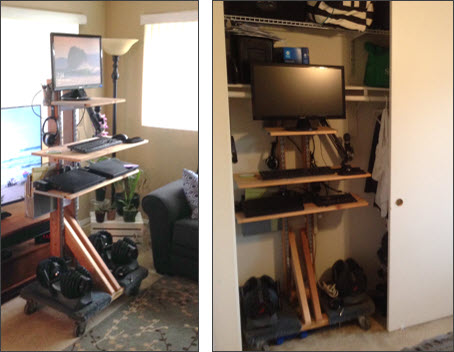
One of my first stand up desks, circa 2012
And yes, I'm one of those weirdos that uses a stand-up desk. Initially, it was due to lower back pain from an injury, but now I love it.
I've used many different types of sit-stand solutions and currently use an Uplift Desk.
Better Posture = Better Productivity
I am much more productive when I'm working at a computer monitor with a full-size keyboard and mouse. Especially with Excel!
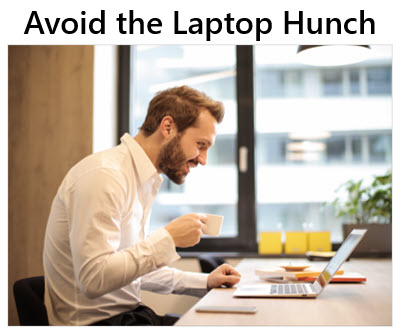
When I can't be in a place with a monitor, I put my laptop on a stand or some books. This raises the screen up to eye level to improve your posture. It also allows you to use a separate full-size keyboard and mouse.
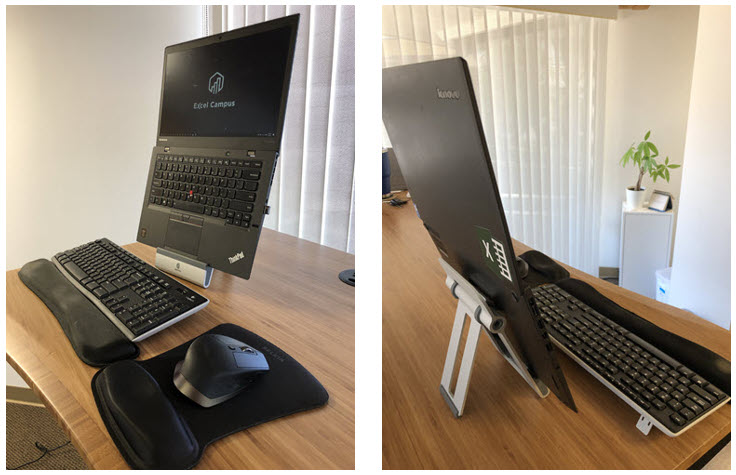
Elevate your laptop screen to avoid hunching over it
In the image above I'm using a tablet stand that is made by Griffin. If your laptop doesn't fold flat like my Lenovo, then there are a TON of laptop stand options on Amazon.
#4 Take Breaks
This sounds obvious, but working from home can mean you are managing two (or more) jobs. Work-life, home life, kids, pets, etc. are all jobs that demand your attention.
This can make life stressful! Our mental health should be our #1 priority, especially right now. So it's important to schedule breaks, get outside, stretch, eat well, and stay hydrated.
Here's another good tip from Clara, “it's easy to work too much when you're working from home because it's comfortable and the time gets away from you, so it's important to take breaks and stretch and eat.”
Remarie has a great tip about regular exercise, “I normally go to the gym 2-3x a week, but for now, I do simple home yoga.”
I'm honestly not great at taking breaks. One tip is to set an alarm on your phone every 60 to 90 minutes to remind you to get up and move.
Pro tip: Set the alarm on another device (tablet, watch, clock) and put it on the other side of the room so you have to get up to turn it off.
Sometimes it even takes a reminder from a loved one. Here is a text my Mom sent me today as I was writing this article.

Mom's know best! ❤
#5 Connect with Others Virtually
It's easy to feel isolated when working from home. Us introverts tend to enjoy this more than others, but I think we all crave human connection at some level.
Virtual meetings and video calls are so easy these days and there are a TON of platforms to choose from.

Try to schedule some time at least a few days a week to chat with co-workers, friends, and family. You can even set up recurring calls/meetings so you have something to look forward to.
And try to talk about other topics besides the latest news. I know it's tough, but a little fun and laughter can provide some great stress relief.
For me, the transition to working from home takes time. So don't worry if it doesn’t feel as “cool” and “free” as you thought it would be.
Also, don't feel like you have to implement all of these tips to be successful at it. Everyone thrives under different working conditions, which is also good to remember if you are managing team members that are now working from home. Feel free to share this article with them.
Source: https://www.excelcampus.com/tips/tips-for-working-from-home/